Kontakte, Kalender, Fotos und Videos sichern: Apple iPhone 16
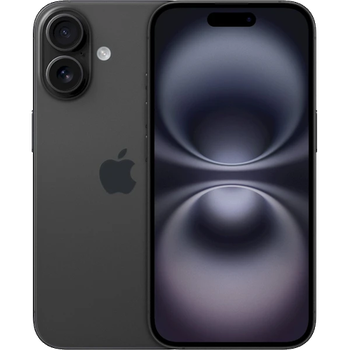
Verfügbare Anleitungen für die Synchronisierung mit der sicheren Cloud
Unterstützte Funktionen
- Kontakt-Synchronisation
- Kalender-Synchronisation
- Foto-Synchronisierung
- Video-Synchronisation
- automatisch synchronisieren

Übertragen Sie Ihre Kontakte, Kalender, Fotos und Videos von Apple iPhone 16 in einen Online-Speicher und zurück, um sie sicher und aktuell zu halten.
Apple iPhone 16 wird von PhoneCopy unterstützt.
Bitte beachten Sie, dass die folgenden Einstellungen je nach Firmware-Version leicht variieren können.
News
- 28.07.26
- Ein Apple iPhone 16-Telefon wurde von einem PhoneCopy-Benutzer in Norwegen synchronisiert. Seine Kontakte wurden übertragen.
- 18.07.26
- Dieses Telefonmodell wurde gerade von einem PhoneCopy-Benutzer in Ukraine synchronisiert. Es hat Kontakte übertragen.
- 18.06.26
- Ein Apple iPhone 16-Telefon wurde von einem PhoneCopy-Benutzer in Lettland synchronisiert. Seine Kontakte wurden übertragen.
- 02.05.26
- Ein Benutzer aus Schweiz hat seine Kontakte mit seinem Telefon synchronisiert.
- 19.01.26
- Jemand hat gerade PhoneCopy zur Sicherung von Apple iPhone 16 im Land Japan verwendet. Seine Kontakte und Medien wurden gesichert.
Apple iPhone 16 Nutzer auf der ganzen Welt
Laut unseren Statistiken verwenden PhoneCopy-Benutzer Apple iPhone 16 für die Datensicherung in den Ländern Tschechien (Czech Republic, Česká republika) - 36.31%, Dänemark (Danmark) - 17.20%, Vereinigte Staaten (Estados Unidos, États-Unis, ‘Amelika Hui Pū ‘ia) - 14.97%, Deutschland (Deutschland) - 10.17%, Vereinigtes Königreich (Y Deyrnas Unedig, Unitit Kinrick, Rìoghachd Aonaichte, Ríocht Aontaithe, An Rywvaneth Unys) - 6.07%, Kanada - 4.11%, Slowakei (Slovensko) - 2.93%, Spanien (España, Espanya, Espainia, Espanha) - 1.99%, Rumänien (România) - 0.88%, Italien (Italia) - 0.78% und 24 mehr.
Auf der Karte
Die folgende Heatmap zeigt den Anteil der Benutzer weltweit, die ihr Apple iPhone 16 mit PhoneCopy synchronisieren.
Textanleitung - So sichern Sie Ihre Daten
Mit Apple iPhone 16
- Installieren Sie PhoneCopy für iPhone / iPad aus dem App Store.
- Starten Sie die App und folgen Sie dem angezeigten Assistenten. Melden Sie sich an, wenn Sie bereits ein PhoneCopy-Konto haben, oder registrieren Sie sich, wenn Sie ein neues erstellen möchten.
- Erlauben Sie den Zugriff auf Kontakte und wählen Sie dann die Quellen (Konten) aus, die Sie synchronisieren möchten. Erlauben Sie anschließend den Zugriff auf Medien und wählen Sie aus, ob Sie Fotos und/oder Videos synchronisieren möchten. Wenn Sie PhoneCopy keinen Zugriff auf Ihre Medien gewähren, werden nur Ihre Kontakte synchronisiert.
- Wenn Sie bereits Medien in Ihrem PhoneCopy-Konto haben, können Sie sich dafür entscheiden, diese auf dieses Gerät zu synchronisieren (herunterzuladen).
- Tippen Sie abschließend auf Synchronize, um die vollständige Synchronisierung durchzuführen.
Wenn Sie den Kalender synchronisieren müssen, lesen Sie unsere Anleitung zur Synchronisierung von Kalendern mit iOS-Geräten.
Bei Problemen mit der Synchronisierung, bitte kontaktieren Sie uns.
Benutzer Kommentare
- The iPhone application need not to be associated with profile as for other phones, all is automatic.
- The application for iPhone cannot synchronize SMS and notes, because the Apple does not allow application access to them.
- You can synchronize your calendars using CalDAV protocol.
Um einen Kommentar zu hinterlassen, melden Sie sich an.
-
help import sms in iphone example ? rqcesa, 28.09.20
-
Sorry, we don't provide SMS import to iPhone. We can only export it from iPhone to PhoneCopy.
-
