Kontakte, Kalender, Aufgaben und Notizen sichern: Motorola ROKR Z6
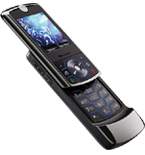
Verfügbare Anleitungen für die Synchronisierung mit der sicheren Cloud
Unterstützte Funktionen
- Kontakt-Synchronisation
- Kalender-Synchronisation
- Aufgabe-Synchronisation
- Notiz-Synchronisierung

Übertragen Sie Ihre Kontakte, Kalender, Aufgaben und Notizen von Motorola ROKR Z6 in einen Online-Speicher und zurück, um sie sicher und aktuell zu halten.
Motorola ROKR Z6 wird von PhoneCopy unterstützt.
Bitte beachten Sie, dass die folgenden Einstellungen je nach Firmware-Version leicht variieren können.
Textanleitung - So sichern Sie Ihre Daten
Mit Motorola ROKR Z6
Die Richtlinie ist noch nicht in Ihre Sprache übersetzt worden.
- Press Main Menu and choose Office Tools - Sync
- If there is no synchronization profile in your cell phone, select SyncML and press Select
- If there was some synchronization before, select Options - Edit profile - Create a Profile.
- In the following menu choose Create New and configure given fields.
▼ hide fields
- Profile name: Type PhoneCopy
- Server URL: Type http://www.phonecopy.com/sync
- User name: your_username
- Password: your_password
- Choose Next.
- Check items to be synchronized and configure given fields.
▼ hide fields
- Contacts: In the Contacts Data Path line write contacts
- Calendar: In the Calendar Data Path line write calendar
- Tasks: In the Tasks Data Path line write tasks
- Data Connection: Choose Data Connection for Internet access.
- In the following menu, under the Synchronize item, choose PhoneCopy.
- Select Options - Set as Default
- Choose Synchronize Now and now you can start synchronization with PhoneCopy anytime you want.
Und nun bitte weisen Sie Ihr Telefon Ihrem PhoneCopy-Konto zu.
Bei Problemen mit der Synchronisierung, bitte kontaktieren Sie uns.
