Kontakte, Fotos, Videos, SMS-Nachrichten und Anrufprotokolle sichern: Samsung Galaxy A02 SM-A025a
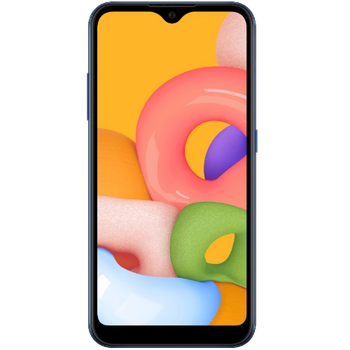
Verfügbare Anleitungen für die Synchronisierung mit der sicheren Cloud
Unterstützte Funktionen
- Kontakt-Synchronisation
- sms-Sicherung
- Sicherung des Anrufprotokolls
- Foto-Synchronisierung
- Video-Synchronisation
- automatisch synchronisieren


Übertragen Sie Ihre Kontakte, Fotos, Videos, SMS-Nachrichten und Anrufprotokolle von Samsung Galaxy A02 SM-A025a in einen Online-Speicher und zurück, um sie sicher und aktuell zu halten.
Samsung Galaxy A02 SM-A025a wird von PhoneCopy unterstützt.
Bitte beachten Sie, dass die folgenden Einstellungen je nach Firmware-Version leicht variieren können.
Bestätigte Modelle
Bestätigte Versionen
- Android 12
- Android 11
- Android 10
News
- 17.12.23
- PhoneCopy app is fully working after updating the Samsung Galaxy A02 SM-A025a to Android 12.
- 19.11.21
- Android 11 can be officially updated even on Samsung Galaxy A02 SM-A025a.
- 25.10.21
- We tested new Android 10 on Samsung Galaxy A02 SM-A025a with our PhoneCopy app and it's completely working.
- 21.10.21
- Kürzlich haben wir auch in Vereinigte Staaten einen neuen Benutzer von Samsung Galaxy A02 SM-A025a bekommen. Er nutzt PhoneCopy zur Sicherung von Kontakte.
Android-Versionen auf Samsung Galaxy A02 SM-A025a
Die PhoneCopy-App für Android unterstützt verschiedene Android-Versionen. Unsere Benutzer haben ihr Samsung Galaxy A02 SM-A025a mit Android 11 (77.50%), Android 10 (21.67%), Android 12 (0.83%) synchronisiert.
Das folgende Kreisdiagramm zeigt den Anteil der Android-Versionen auf Samsung Galaxy A02 SM-A025a bei der Synchronisierung mit PhoneCopy.
Samsung Galaxy A02 SM-A025a Nutzer auf der ganzen Welt
Samsung Galaxy A02 SM-A025a wird für die Kontaktsicherung von PhoneCopy-Benutzern in mehreren Ländern auf der ganzen Welt bevorzugt - Vereinigte Staaten (Estados Unidos, États-Unis, ‘Amelika Hui Pū ‘ia) - 100.00%.
Die folgende Heatmap zeigt den Anteil der Benutzer weltweit, die ihr Samsung Galaxy A02 SM-A025a mit PhoneCopy synchronisieren.
Textanleitung - So sichern Sie Ihre Daten
Mit Samsung Galaxy A02 SM-A025a
- Laden Sie unsere PhoneCopy für Android-Anwendung auf Ihr Mobilgerät herunter.
- Erstellen Sie nach dem Start der Anwendung ein neues Konto in der Anwendung. Wenn Sie bereits ein Konto auf der Webseite www.phonecopy.com erstellt haben, melden Sie sich in der Anwendung mit diesem bestehenden Konto an.
- Nach erfolgreicher Anmeldung durchlaufen Sie den Einrichtungsassistenten der Anwendung und wählen Sie dann Synchronize (für ein Konto mit einer bestehenden Sicherung) / Backup (für ein leeres Konto) aus, oder drücken Sie die Schaltfläche Later und wählen Sie dann im Seitenmenü die Option Back up contacts / Restore contacts für eine einseitige Synchronisierung.
Weitere Informationen zu unserer App finden Sie auf unserer PhoneCopy für Android-Seite.
Bei Problemen mit der Synchronisierung, bitte kontaktieren Sie uns.
Benutzer Kommentare
Um einen Kommentar zu hinterlassen, melden Sie sich an.
-
Advan ita66051, 15.08.26
