Kontakte, Fotos, Videos, SMS-Nachrichten und Anrufprotokolle sichern: Ulefone S11
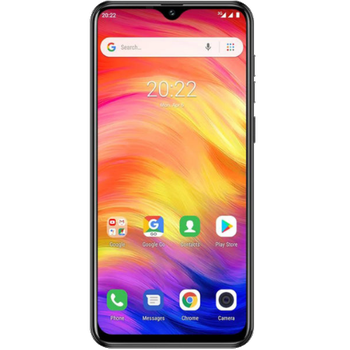
Verfügbare Anleitungen für die Synchronisierung mit der sicheren Cloud
Unterstützte Funktionen
- Kontakt-Synchronisation
- sms-Sicherung
- Sicherung des Anrufprotokolls
- Foto-Synchronisierung
- Video-Synchronisation
- automatisch synchronisieren


Übertragen Sie Ihre Kontakte, Fotos, Videos, SMS-Nachrichten und Anrufprotokolle von Ulefone S11 in einen Online-Speicher und zurück, um sie sicher und aktuell zu halten.
Ulefone S11 wird von PhoneCopy unterstützt.
Bitte beachten Sie, dass die folgenden Einstellungen je nach Firmware-Version leicht variieren können.
Bestätigte Modelle
Bestätigte Versionen
- Android 9.0 Pie
News
- 27.08.22
- Sogar in Südafrika haben wir einen Benutzer mit einem Ulefone S11-Telefon. Er sichert seine Kontakte und SMS-Nachrichten.
- 31.05.21
- PhoneCopy app is fully supported on Ulefone S11 with Android version 9.
- 11.05.21
- Ein Benutzer aus Moldawien hat seine Kontakte mit seinem Telefon synchronisiert.
Android-Versionen auf Ulefone S11
Bei der Synchronisierung hatten PhoneCopy-Benutzer folgende Android-Versionen auf ihrem Ulefone S11: Android 9.0 Pie (100.00%).
Ulefone S11 Nutzer auf der ganzen Welt
Ulefone S11 wird häufig von PhoneCopy-Benutzern in Ländern wie Moldawien - 75.00%, Südafrika (Suid-Afrika, iNingizimu Afrika, uMzantsi Afrika, Afrika-Borwa, Afrika Borwa, Aforika Borwa, Afurika Tshipembe, Afrika Dzonga, iSewula Afrika) - 25.00% verwendet.
Die folgende Heatmap zeigt Kontaktsynchronisierungen mit Ulefone S11 über PhoneCopy weltweit.
Textanleitung - So sichern Sie Ihre Daten
Mit Ulefone S11
- Laden Sie unsere PhoneCopy für Android-Anwendung auf Ihr Mobilgerät herunter.
- Erstellen Sie nach dem Start der Anwendung ein neues Konto in der Anwendung. Wenn Sie bereits ein Konto auf der Webseite www.phonecopy.com erstellt haben, melden Sie sich in der Anwendung mit diesem bestehenden Konto an.
- Nach erfolgreicher Anmeldung durchlaufen Sie den Einrichtungsassistenten der Anwendung und wählen Sie dann Synchronize (für ein Konto mit einer bestehenden Sicherung) / Backup (für ein leeres Konto) aus, oder drücken Sie die Schaltfläche Later und wählen Sie dann im Seitenmenü die Option Back up contacts / Restore contacts für eine einseitige Synchronisierung.
Weitere Informationen zu unserer App finden Sie auf unserer PhoneCopy für Android-Seite.
Bei Problemen mit der Synchronisierung, bitte kontaktieren Sie uns.
Benutzer Kommentare
Um einen Kommentar zu hinterlassen, melden Sie sich an.
-
I received the notification to sycronize messages and cotacts since the tenth day of this month.I gave a try but unsuccesful to syncronize.That made outgoing calls very impossible.So please assist as soon as possible. georgeweikel16, 26.12.23
-
We didn't find any synchronized phone in your profile. Are you sure you received notification from PhoneCopy?
-
