Backup contacts, photos, videos, sms messages and call logs from OPPO Reno 3 Pro cph2037
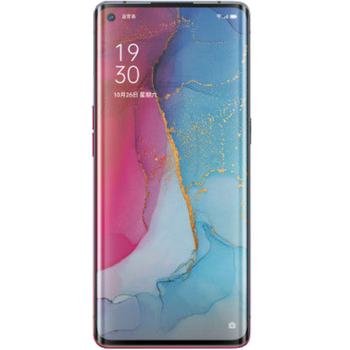
Available guides for synchronization to the secure cloud
Supported functions
- contact synchronization
- sms backup
- call log backup
- photo synchronization
- video synchronization
- automatic sync


Transfer your contacts, photos, videos, sms messages and call logs from OPPO Reno 3 Pro cph2037 to an online storage and back to keep them safe and up to date.
OPPO Reno 3 Pro cph2037 is supported on PhoneCopy.
Please note that following settings may vary a little depending on the firmware version.
Confirmed models
Confirmed versions
- Android 12
- Android 11
- Android 10
News
- 10/03/2026
- We detected PhoneCopy app on OPPO Reno 3 Pro cph2037 phone in Netherlands. All contacts, sms messages and call logs were backed up.
- 27/02/2026
- This phone model was just synchronized by PhoneCopy user in France. It transferred contacts, media, sms messages and call logs.
- 17/02/2026
- Recently we got new user of OPPO Reno 3 Pro cph2037 also in United States. He is using PhoneCopy for backup of contacts, media, sms messages and call logs.
- 30/09/2024
- Someone just used PhoneCopy for backup of OPPO Reno 3 Pro cph2037 in country Australia. His contacts, sms messages and call logs were backed up.
- 28/09/2024
- PhoneCopy app is fully working after updating the OPPO Reno 3 Pro cph2037 to Android 12.
- 27/09/2024
- We just got first user of this model in Afghanistan! Someone just backed up his contacts, sms messages and call logs.
- 26/04/2021
- We freshly support OPPO Reno 3 Pro cph2037 with Android 11 OS for photo, video, call logs, SMS and contact backup.
Android versions running on OPPO Reno 3 Pro cph2037
When synchronizing, PhoneCopy users had following Android versions on their OPPO Reno 3 Pro cph2037: Android 12 (76.60%), Android 11 (21.28%), Android 10 (2.13%).
Following chart shows contacts synchronisations with OPPO Reno 3 Pro cph2037 running different Android versions.
OPPO Reno 3 Pro cph2037 users around the world
OPPO Reno 3 Pro cph2037 is preffered for contact backup by PhoneCopy users in several countries around the world - Afghanistan (Afghanestan, افغانستان) - 58.33%, Malaysia (Mǎláixīyà, 马来西亚, Malēṣiyā, மலேசியா) - 13.33%, United States (Estados Unidos, États-Unis, ‘Amelika Hui Pū ‘ia) - 11.67%, France - 8.33%, Philippines (Pilipinas) - 3.33%, Australia - 1.67%, Netherlands (Nederland, Nederlân) - 1.67%, Singapore (Singapura, Xīnjiāpō, 新加坡, Singapur, சிங்கப்பூர்) - 1.67%.
Following heat map shows contacts synchronisations with OPPO Reno 3 Pro cph2037 using PhoneCopy across the globe.
Text guideline - How to backup
With OPPO Reno 3 Pro cph2037
- Download our PhoneCopy for Android application to your mobile device.
- After launching the application, create a new account from the application. If you have already created an account on web pages www.phonecopy.com, log in to this existing account in the application.
- After successful login, go through the application setup wizard and then select Synchronize (for an account with an existing backup) / Backup (for an empty account) or press the Later button and then select option in the side menu Back up contacts / Restore contacts for one-way synchronization.
For more information about our app, visit our PhoneCopy for Android page.
In the case of problems with synchronization, please contact us.
User comments
To leave a comment please sign in.
-
-
Hi, did you download PhoneCopy application from Google Play or Huawei AppGallery?
-
Hi, on Windowsphone it was from Google Play, on new P40 plus, I honestly don't remember, but THINK it was from H AppGalley. I even paid for a month's premium upgrade. Having a look around 'tinternet' I've seen one version of PhoneCopy with the red/black background and another with a pale blue background. Both mine are red/black. Should I delete both phones and start again? Can't actually find the 'pale-blue-one' in a store? Is the blue one the newer version? Regards, Trevor L
-
Hi, Windows mobile (Lumia) has older design because we keep it working until Microsoft will keep live their store. That step don't need to be repeated. Huawei P40 application is the same like on the following guide https://www.phonecopy.com/en/pages/how_to_synchronize_contacts_to_android . We found your phone contacting our servers but still not synchronized. Our technical team will contact you on Monday to check what should be wrong.
-
Hello again, and thank you for your prompt response. I will be patient and wait 'till Monday then. Trevor L
-
Hello,
your Huawei does not support Google Play Services.
In this case, please, install PhoneCopy for Huawei:
https://appgallery7.huawei.com/#/app/C102701109-
-
My Huawei DOES support Google Play Services...., what it will NOT do is respond to the link that you've sent me. I think I may have to write-off the £1:92 I've paid to PhoneCopy. I still have the same problem! I've successfully uploaded my contacts from my Lumia 640 LTE to your 'Cloud'. But cannot download anything to my Huawei P40 pro. In the app, the P40 Think I want to UPload, but says there is nothing to upload. Is there anything else you can suggest please?
-
Hello again, sorry, but official Huawei documentation says that Huawei P40 does not contain Google Services and running on Android 10.
In our logs, generated by communication with your phone is named as P40 pro, but running on Android 4.4.2 KITKAT with older type of processor, what is very unusual.
We will send you more informaction to your private mail.-
Thank you for this information. I've had this handset for less than a week. It came unlocked, apparently 'sealed', boxed, with the usual very small instruction leaflet, from a usually reliable source that I've used for a long time. I do now wonder though, if it is a genuine Huawei product? I have not owned any Huawei products before, so cannot compare. It is advertised variously at between £695:00 and £875:00 approx. I am very careful about buying things on the internet, but there's always a first time to be conned. I'm SURE that your information is correct. I'll await your further contact with interest. Thanks again, Trevor L
-
-
-
-
-
Answered via private mail.
-
Hello again PhoneCopy team,
Just wanted to say a really big thank you. After a complete week of communication to/fro between us, I have finally synchronised my Lumia 640 LTE with my new (highly suspect P40 pro) You even built a version of your app specifically for my use.
I now have all 87 contacts and hundreds of diary entries on the Android P40 pro. Sorted all the contacts; now just looking around for a decent calendar📅diary for other content.
Upgraded to premium at the start of this 'adventure' and have just paid for a bit😊more storage, (not that I'll need it) by way of a Thank You. Kind Regards, Trevor L
-
Thanks
-
-
-
-
-
-
-

I have uploaded my contacts+diary etc, from my Lumia 640 LTE (windows phone) successfully, but I don't seem to be able to download (from your cloud) to my new Huawei P40 Pro..., (previously known as the P40 els-nx9) which your systems say is supported. Spent hours so far..., even losing weight now! Help PLEASE...., REGARDS, Trev. trevor.lidbury, 29/08/2020