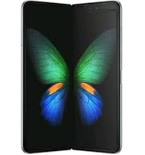
Realizar copia de seguridad de contactos, fotos, vídeos, mensajes SMS y registros de llamadas desde Samsung Fold (sm-f900u)
Guías disponibles para la sincronización con la nube segura
Funciones compatibles
- sincronización de contactos
- copia de seguridad de SMS
- copia de seguridad del registro de llamadas
- sincronización de fotos
- sincronización de vídeos
- sincronización automática


Transfiera sus contactos, fotos, vídeos, mensajes SMS y registros de llamadas desde Samsung Fold (sm-f900u) a un almacenamiento en línea y viceversa para mantenerlos seguros y actualizados.
Samsung Fold (sm-f900u) es compatible con PhoneCopy.
Tenga en cuenta que la siguiente configuración puede variar ligeramente según la versión del firmware.
Modelos confirmados
Versiones confirmadas
- Android 12
Noticias
- 18/10/22
- We tested new Android 12 on Samsung Fold (sm-f900u) with our PhoneCopy app and it's completely working.
- 9/10/22
- El primer usuario de Estados Unidos acaba de sincronizar sus contactos, multimedia y mensajes SMS en su teléfono Samsung Fold (sm-f900u).
versiones de Android ejecutándose en Samsung Fold (sm-f900u)
Al sincronizar, los usuarios de PhoneCopy tenían las siguientes versiones de Android en su Samsung Fold (sm-f900u): Android 12 (100.00%).
usuarios de Samsung Fold (sm-f900u) en todo el mundo
Samsung Fold (sm-f900u) es preferido para la copia de seguridad de contactos por usuarios de PhoneCopy en varios países del mundo - Estados Unidos (Estados Unidos, États-Unis, ‘Amelika Hui Pū ‘ia) - 100.00%.
El mapa muestra el uso de Samsung Fold (sm-f900u) para la copia de seguridad de contactos con PhoneCopy en todo el mundo.
Guía de texto - Cómo hacer copias de seguridad
Con Samsung Fold (sm-f900u)
- Descargue nuestra aplicación PhoneCopy para Android en su dispositivo móvil.
- Después de abrir la aplicación, cree una nueva cuenta desde la aplicación. Si ya ha creado una cuenta en la página web www.phonecopy.com, inicie sesión con esa cuenta existente en la aplicación.
- Tras iniciar sesión correctamente, siga el asistente de configuración de la aplicación y, a continuación, seleccione Synchronize (para una cuenta con una copia de seguridad existente) / Backup (para una cuenta vacía), o pulse el botón Later y luego seleccione la opción correspondiente en el menú lateral Back up contacts / Restore contacts para una sincronización unidireccional.
Para obtener más información sobre nuestra aplicación, visite nuestra página de PhoneCopy para Android.
En el caso de problemas con la sincronización, contacte con nosotros.
Comentarios de usuarios
Para dejar un comentario, por favor inicie sesión.
-
Convart to readmagic shakilsharifbd9, 24/4/26
