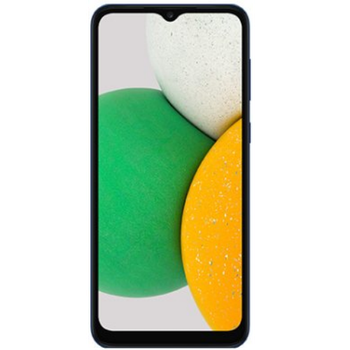
Realizar copia de seguridad de contactos, fotos, vídeos, mensajes SMS y registros de llamadas desde Samsung Galaxy A03 Core SM-A032f
Guías disponibles para la sincronización con la nube segura
Funciones compatibles
- sincronización de contactos
- copia de seguridad de SMS
- copia de seguridad del registro de llamadas
- sincronización de fotos
- sincronización de vídeos
- sincronización automática


Transfiera sus contactos, fotos, vídeos, mensajes SMS y registros de llamadas desde Samsung Galaxy A03 Core SM-A032f a un almacenamiento en línea y viceversa para mantenerlos seguros y actualizados.
Samsung Galaxy A03 Core SM-A032f es compatible con PhoneCopy.
Tenga en cuenta que la siguiente configuración puede variar ligeramente según la versión del firmware.
Modelos confirmados
Versiones confirmadas
- Android 13
- Android 12
- Android 11
Noticias
- 21/4/26
- Un usuario de Somalia ha sincronizado sus contactos, multimedia y registros de llamadas con su teléfono.
- 5/12/25
- Un usuario de Omán ha sincronizado sus contactos con su teléfono.
- 10/10/25
- Incluso en Etiopía tenemos un usuario con un teléfono Samsung Galaxy A03 Core SM-A032f. Hace copia de seguridad de sus contactos.
- 11/9/25
- Un nuevo usuario de teléfono ha sincronizado sus contactos con PhoneCopy desde Esuatini.
- 1/6/25
- Este modelo de teléfono acaba de ser sincronizado por un usuario de PhoneCopy en Rusia. Transfirió contactos, multimedia, mensajes SMS y registros de llamadas.
- 9/12/23
- Android 13 can be officially updated even on Samsung Galaxy A03 Core SM-A032f.
- 17/5/23
- We noticed the update possibility of Samsung Galaxy A03 Core SM-A032f to a new Android operating system version 12.
- 20/2/23
- Ahora somos compatibles con Samsung Galaxy A03 Core SM-A032f con sistema operativo Android y Huawei Mobile Services para la copia de seguridad de fotos, vídeos, SMS y contactos.
- 10/2/22
- Personal data backup from Samsung Galaxy A03 Core SM-A032f with Android 11 is now officially supported with our PhoneCopy mobile app.
versiones de Android ejecutándose en Samsung Galaxy A03 Core SM-A032f
La aplicación PhoneCopy para Android es compatible con varias versiones de Android. Nuestros usuarios sincronizaron su Samsung Galaxy A03 Core SM-A032f con Android 11 (64.44%), Android 12 (21.58%), Android 13 (13.98%).
El gráfico muestra la copia de seguridad de Samsung Galaxy A03 Core SM-A032f con PhoneCopy, ejecutando varias versiones de Android.
usuarios de Samsung Galaxy A03 Core SM-A032f en todo el mundo
Según nuestras estadísticas, los usuarios de PhoneCopy utilizan Samsung Galaxy A03 Core SM-A032f para la copia de seguridad de datos en los países Sudáfrica (Suid-Afrika, iNingizimu Afrika, uMzantsi Afrika, Afrika-Borwa, Afrika Borwa, Aforika Borwa, Afurika Tshipembe, Afrika Dzonga, iSewula Afrika) - 57.14%, Reino Unido (Y Deyrnas Unedig, Unitit Kinrick, Rìoghachd Aonaichte, Ríocht Aontaithe, An Rywvaneth Unys) - 9.01%, Belice - 5.59%, Uganda - 4.97%, Indonesia - 4.04%, Sudán (As-Sudan, السودان) - 3.42%, Kenia - 2.80%, Malí - 2.80%, India (Bharôt, ভাৰত, ভারত, Bhārat, ભારત, भारत, Bhārata, ಭಾರತ, Bhāratam, ഭാരതം, Bharôtô, ଭାରତ, ਭਾਰਤ, भारतम्, Bārata, பாரதம், Bhāratadēsam, భారత దేశం) - 1.24%, México (México, Mēxihco) - 1.24% y 18 más.
El histograma muestra la copia de seguridad de Samsung Galaxy A03 Core SM-A032f con PhoneCopy en todo el mundo.
Guía de texto - Cómo hacer copias de seguridad
Desde Samsung Galaxy A03 Core SM-A032f
- Download our PhoneCopy for Huawei application to your mobile device.
- After launching the application, create a new account from the application. If you have already created an account on web pages www.phonecopy.com, log in to this existing account in the application.
- After succesful login press "Synchronize" for complete synchronization, or press "Advanced & Account", select "One-way sync" and after choose "This device >> server" for one-way sync.
More detailed information and instructions include screenshots: how to backup and synchronize contacts from Huawei
For more information about our app, visit our PhoneCopy for Huawei page.
Let us just remind you, that for now PhoneCopy for Android transfers to server contacts, photos, videos, Call Logs and SMS.
En el caso de problemas con la sincronización, contacte con nosotros.
A Samsung Galaxy A03 Core SM-A032f
- Download our PhoneCopy for Huawei application to your mobile device.
- After launching the application, create a new account from the application. If you have already created an account on web pages www.phonecopy.com, log in to this existing account in the application.
- After succesful login press "Synchronize" for complete synchronization, or press "Advanced & Account", select "One-way sync" and after choose "Server >> this device" for one-way sync.
More detailed information and instructions include screenshots: how transfer contacts to Huawei
For more information about our app, visit our PhoneCopy for Huawei page.
Let us just remind you, that for now PhoneCopy for Android transfers to server contacts, photos, videos, Call Logs and SMS.
En el caso de problemas con la sincronización, contacte con nosotros.
Comentarios de usuarios
Para dejar un comentario, por favor inicie sesión.
-
Convart to readmagic shakilsharifbd9, 24/4/26
