Sauvegarder contacts, photos, vidéos, SMS et journaux d'appels depuis Samsung Galaxy A03 Core SM-A032f
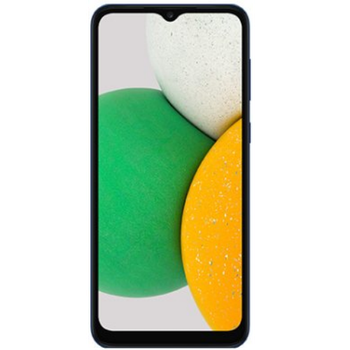
Guides disponibles pour la synchronisation vers le cloud sécurisé
Depuis l'appareil
À partir de Samsung Galaxy A03 Core SM-A032fÀ partir de Samsung Galaxy A03 Core SM-A032f
Fonctions prises en charge
- synchronisation des contacts
- synchronisation des sms
- sauvegarde du journal d'appels
- synchronisation des photos
- synchronisation des vidéos
- synchronisation automatique


Transférez vos contacts, photos, vidéos, SMS et journaux d'appels de Samsung Galaxy A03 Core SM-A032f vers un espace de stockage en ligne et inversement pour les garder en sécurité et à jour.
Samsung Galaxy A03 Core SM-A032f est pris en charge avec PhoneCopy.
Veuillez noter que les paramètres suivants peuvent varier légèrement en fonction de la version du micrologiciel.
Modèles confirmés
Versions confirmées
- Android 13
- Android 12
- Android 11
Nouvelles
- 21/04/2026
- Un utilisateur dans le pays Somalie a synchronisé ses contacts, fichiers multimédias et journaux d'appels avec son téléphone.
- 05/12/2025
- Un utilisateur dans le pays Oman a synchronisé ses contacts avec son téléphone.
- 10/10/2025
- Même dans le pays Éthiopie, nous avons un utilisateur avec un téléphone Samsung Galaxy A03 Core SM-A032f. Il sauvegarde ses contacts.
- 11/09/2025
- Un nouvel utilisateur de téléphone a synchronisé ses contacts avec PhoneCopy depuis le pays Eswatini.
- 01/06/2025
- Ce modèle de téléphone vient d'être synchronisé par un utilisateur de PhoneCopy dans le pays Russie. Il a transféré contacts, fichiers multimédias, SMS et journaux d'appels.
- 09/12/2023
- Android 13 can be officially updated even on Samsung Galaxy A03 Core SM-A032f.
- 17/05/2023
- We noticed the update possibility of Samsung Galaxy A03 Core SM-A032f to a new Android operating system version 12.
- 20/02/2023
- Nous prenons désormais en charge Samsung Galaxy A03 Core SM-A032f avec le système d'exploitation Android et les Huawei Mobile Services pour la sauvegarde des photos, vidéos, SMS et contacts.
- 10/02/2022
- Personal data backup from Samsung Galaxy A03 Core SM-A032f with Android 11 is now officially supported with our PhoneCopy mobile app.
versions Android fonctionnant sur Samsung Galaxy A03 Core SM-A032f
L'application PhoneCopy pour Android prend en charge diverses versions de Android. Nos utilisateurs ont synchronisé leur Samsung Galaxy A03 Core SM-A032f avec Android 11 (64.44%), Android 12 (21.58%), Android 13 (13.98%).
Le graphique illustre la sauvegarde de Samsung Galaxy A03 Core SM-A032f avec PhoneCopy, exécutée sur différentes versions de Android.
Samsung Galaxy A03 Core SM-A032f utilisateurs dans le monde
D'après nos statistiques, les utilisateurs de PhoneCopy utilisent Samsung Galaxy A03 Core SM-A032f pour la sauvegarde des données dans les pays Afrique du Sud (Suid-Afrika, iNingizimu Afrika, uMzantsi Afrika, Afrika-Borwa, Afrika Borwa, Aforika Borwa, Afurika Tshipembe, Afrika Dzonga, iSewula Afrika) - 57.14%, Royaume-Uni (Y Deyrnas Unedig, Unitit Kinrick, Rìoghachd Aonaichte, Ríocht Aontaithe, An Rywvaneth Unys) - 9.01%, Bélize - 5.59%, Ouganda - 4.97%, Indonésie - 4.04%, Soudan (As-Sudan, السودان) - 3.42%, Kenya - 2.80%, Mali - 2.80%, Inde (Bharôt, ভাৰত, ভারত, Bhārat, ભારત, भारत, Bhārata, ಭಾರತ, Bhāratam, ഭാരതം, Bharôtô, ଭାରତ, ਭਾਰਤ, भारतम्, Bārata, பாரதம், Bhāratadēsam, భారత దేశం) - 1.24%, Mexique (México, Mēxihco) - 1.24% ainsi que dans 18 autres.
L'histogramme illustre la sauvegarde de Samsung Galaxy A03 Core SM-A032f avec PhoneCopy dans le monde entier.
Guide textuel - Comment sauvegarder
À partir de Samsung Galaxy A03 Core SM-A032f
- Download our PhoneCopy for Huawei application to your mobile device.
- After launching the application, create a new account from the application. If you have already created an account on web pages www.phonecopy.com, log in to this existing account in the application.
- After succesful login press "Synchronize" for complete synchronization, or press "Advanced & Account", select "One-way sync" and after choose "This device >> server" for one-way sync.
More detailed information and instructions include screenshots: how to backup and synchronize contacts from Huawei
For more information about our app, visit our PhoneCopy for Huawei page.
Let us just remind you, that for now PhoneCopy for Android transfers to server contacts, photos, videos, Call Logs and SMS.
En cas de problèmes dans la synchronisation, veuillez nous contacter.
Vers Samsung Galaxy A03 Core SM-A032f
- Download our PhoneCopy for Huawei application to your mobile device.
- After launching the application, create a new account from the application. If you have already created an account on web pages www.phonecopy.com, log in to this existing account in the application.
- After succesful login press "Synchronize" for complete synchronization, or press "Advanced & Account", select "One-way sync" and after choose "Server >> this device" for one-way sync.
More detailed information and instructions include screenshots: how transfer contacts to Huawei
For more information about our app, visit our PhoneCopy for Huawei page.
Let us just remind you, that for now PhoneCopy for Android transfers to server contacts, photos, videos, Call Logs and SMS.
En cas de problèmes dans la synchronisation, veuillez nous contacter.
Commentaires des utilisateurs
Pour laisser un commentaire identifiez-vous.
-
Please send me a script to uptodate emails with my information about any working products android may use and plus I have to send you these applications about the Mexican Mexican apple butter apply app steals and regains grades from wire craigandre06, 20/07/2026
