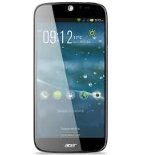
Sauvegarder contacts, photos, vidéos, SMS et call logs depuis Acer Liquid Jade Z (S57)

Acer Liquid Jade Z (S57)

Available guides for synchronization to the secure cloud

Supported functions

  • synchronisation des contacts
  • synchronisation des sms
  • call log backup
  • synchronisation des photos
  • synchronisation des vidéos
  • synchronisation automatique

Acer Liquid Jade Z (S57) est pris en charge avec PhoneCopy. Veuillez noter que les paramètres suivants peuvent varier légèrement en fonction de la version du micrologiciel.

Confirmed models

s57: s57_aap_gen1/acer_s57 (mt6752/jade-z)
s57: s57_emea_bgcs/acer_s57 (mt6752/jade-z)
s57: s57_emea_cus1/acer_s57 (mt6752/jade-z)
s57: s57_emea_gen1/acer_s57 (mt6752/jade-z)
s57: s57_emea_tmosks/acer_s57 (mt6752/jade-z)
s57: s57_la_amxs/acer_s57 (mt6752/jade-z)
s57: s57_pa_ca/acer_s57 (mt6752/jade-z)
s57: s57_pa_gen1s/acer_s57 (mt6752/jade-z)

Confirmed versions

Android 4.4 KitKat
ktu84p (moly.lr9.w1423.md.lwtg.mp.v1.p45, 2015/09/01 13:38/unknown)
ktu84p (unknown/unknown)

Nouvelles

09/08/2023
This phone model was just synchronized by PhoneCopy user in Royaume-Uni. It transferred contacts, fichiers multimédias et SMS.

versions Android fonctionnant sur Acer Liquid Jade Z (S57)

L'application PhoneCopy pour Android prend en charge diverses versions de Android. Nos utilisateurs ont synchronisé leur Acer Liquid Jade Z (S57) avec Android 4.4 KitKat (100.00%).

Acer Liquid Jade Z (S57) utilisateurs dans le monde

D'après nos statistiques, les utilisateurs de PhoneCopy utilisent Acer Liquid Jade Z (S57) pour la sauvegarde des données dans les pays Royaume-Uni (Y Deyrnas Unedig, Unitit Kinrick, Rìoghachd Aonaichte, Ríocht Aontaithe, An Rywvaneth Unys) - 100.00%.

L'histogramme illustre la sauvegarde de Acer Liquid Jade Z (S57) avec PhoneCopy dans le monde entier.

Guide textuel - Comment sauvegarder

À partir de Acer Liquid Jade Z (S57)

Guideline n'a pas encore été traduit dans votre langue.
If you want to transfer contacts from your Android device please use following screenshot guide.
  1. Download our PhoneCopy for Android application to your mobile device.
  2. After launching the application, create a new account from the application. If you have already created an account on web pages www.phonecopy.com, log in to this existing account in the application.
  3. After successful login, go through the application setup wizard and then select "Synchronize" (for an account with an existing backup) / "Backup" (for an empty account) or press the "Later" button and then select option in the side menu "Back up contacts" / "Restore contacts" for one-way synchronization.

More detailed information and instructions include screenshots: how to backup and synchronize contacts from Android

For more information about our app, visit our PhoneCopy for Android page.


You need an Android phone version 4.4 (KitKat), 5.0, 5.1 (Lollipop), 6.0 (Marshmallow), 7.0, 7.1 (Nougat), 8.0, 8.1 (Oreo), 9.0 (Pie), 10, 11, 12, 13 and 14 incl. tablets. Let us just remind you, that for now PhoneCopy for Android transfers to server contacts, photos, videos and SMS.

En cas de problemes dans la synchonisation, veuillez nous contacter.

Vers Acer Liquid Jade Z (S57)

Guideline n'a pas encore été traduit dans votre langue.
If you want to transfer contacts to your Android device please use following screenshot guide.
  1. Download our PhoneCopy for Android application to your mobile device.
  2. After launching the application, create a new account from the application. If you have already created an account on web pages www.phonecopy.com, log in to this existing account in the application.
  3. After successful login, go through the application setup wizard and then select "Synchronize" (for an account with an existing backup) / "Backup" (for an empty account) or press the "Later" button and then select option in the side menu "Back up contacts" / "Restore contacts" for one-way synchronization.

More detailed information and instructions include screenshots: how transfer contacts to Android

For more information about our app, visit our PhoneCopy for Android page.


You need an Android phone version 4.4 (KitKat), 5.0, 5.1 (Lollipop), 6.0 (Marshmallow), 7.0, 7.1 (Nougat), 8.0, 8.1 (Oreo), 9.0 (Pie), 10, 11, 12, 13 and 14 incl. tablets. Let us just remind you, that for now, PhoneCopy for Android transfers to server contacts, photos, videos, and SMS.

En cas de problemes dans la synchonisation, veuillez nous contacter.

Commentaires des utilisateurs

Pour laisser un commentaire identifiez-vous.

  • Backing up your important data is essential for protecting against accidental loss, hardware failure, or malicious attacks. Always start by identifying the files, documents, photos, and other data you cannot afford to lose. Choose a reliable backup method—external hard drives, network storage, or cloud-based services are all good options. For best protection, use the 3-2-1 rule: keep three copies of your data, stored on two different types of media, with one copy offsite. Schedule automatic backups to ensure your data is always up-to-date, and periodically test your backups to confirm they work. Remember, a backup is only useful if it can be restored—make sure you’re ready before disaster strikes. Stay safe, stay prepared! https://teerresulttoday.org/
    karansharma9854, 09/08/2025
See whole discussion