Sauvegarder contacts depuis Acer Tembo M900
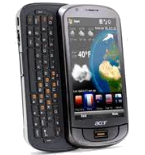
Guides disponibles pour la synchronisation vers le cloud sécurisé
Fonctions prises en charge
- synchronisation des contacts
- synchronisation automatique

Transférez vos contacts de Acer Tembo M900 vers un espace de stockage en ligne et inversement pour les garder en sécurité et à jour.
Acer Tembo M900 est pris en charge avec PhoneCopy.
Veuillez noter que les paramètres suivants peuvent varier légèrement en fonction de la version du micrologiciel.
Guide textuel - Comment sauvegarder
Avec Acer Tembo M900
Guideline n'a pas encore été traduit dans votre langue.
- Press Start - Programs - ActiveSync.
- Vyberte Menu - Add server source.
- Fill www.phonecopy.com into Server address.
- Leave This server requires an encrypted (SSL) connection checked.
- Press Next.
- Fill in your account details.
▼ hide fields
- Username: your_username
- Password: your_password
- Domain: phonecopy.com
- Press Next.
- Select the data to be synchronized:
▼ hide fields
- Contacts: yes
- Calendar: no
- Emails: no
- Tasks: no
- Pres Finish.
- Pressing Sync will perform a synchronization of your data with PhoneCopy.
- You can start future synchronizations by pressing Start - Programs - ActiveSync - Sync.
Notice: you do not need to assign the device via IMEI for Windows devices. Device assignment is automatic.
En cas de problèmes dans la synchronisation, veuillez nous contacter.
