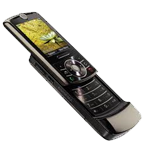
Sauvegarder contacts, calendrier, tâches et notes depuis Motorola ROKR Z6W
Guides disponibles pour la synchronisation vers le cloud sécurisé
Fonctions prises en charge
- synchronisation des contacts
- synchronisation du calendrier
- synchronisation des tâches
- synchronisation des notes

Transférez vos contacts, calendrier, tâches et notes de Motorola ROKR Z6W vers un espace de stockage en ligne et inversement pour les garder en sécurité et à jour.
Motorola ROKR Z6W est pris en charge avec PhoneCopy.
Veuillez noter que les paramètres suivants peuvent varier légèrement en fonction de la version du micrologiciel.
Guide textuel - Comment sauvegarder
Avec Motorola ROKR Z6W
Guideline n'a pas encore été traduit dans votre langue.
- Press Main Menu and choose Office Tools - Sync
- If there is no synchronization profile in your cell phone, select SyncML and press Select
- If there was some synchronization before, select Options - Edit profile - Create a Profile.
- In the following menu choose Create New and configure given fields.
▼ hide fields
- Profile name: Type PhoneCopy
- Server URL: Type http://www.phonecopy.com/sync
- User name: your_username
- Password: your_password
- Choose Next.
- Check items to be synchronized and configure given fields.
▼ hide fields
- Contacts: In the Contacts Data Path line write contacts
- Calendar: In the Calendar Data Path line write calendar
- Tasks: In the Tasks Data Path line write tasks
- Data Connection: Choose Data Connection for Internet access.
- In the following menu, under the Synchronize item, choose PhoneCopy.
- Select Options - Set as Default
- Choose Synchronize Now and now you can start synchronization with PhoneCopy anytime you want.
Et maintenant, veuillez assigner votre téléphone à votre compte PhoneCopy.
En cas de problèmes dans la synchronisation, veuillez nous contacter.
