Sauvegarder contacts, photos, vidéos, SMS et journaux d'appels depuis Samsung Galaxy S6 (SM-S907vl)
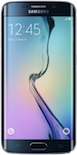
Guides disponibles pour la synchronisation vers le cloud sécurisé
Depuis l'appareil
À partir de Samsung Galaxy S6 (SM-S907vl)À partir de Samsung Galaxy S6 (SM-S907vl)
Fonctions prises en charge
- synchronisation des contacts
- synchronisation des sms
- sauvegarde du journal d'appels
- synchronisation des photos
- synchronisation des vidéos
- synchronisation automatique


Transférez vos contacts, photos, vidéos, SMS et journaux d'appels de Samsung Galaxy S6 (SM-S907vl) vers un espace de stockage en ligne et inversement pour les garder en sécurité et à jour.
Samsung Galaxy S6 (SM-S907vl) est pris en charge avec PhoneCopy.
Veuillez noter que les paramètres suivants peuvent varier légèrement en fonction de la version du micrologiciel.
Modèles confirmés
Versions confirmées
- Android 6.0 Marshmallow
Nouvelles
- 10/04/2021
- Quelqu'un a utilisé PhoneCopy pour sauvegarder ce modèle de téléphone dans le pays États-Unis. Ses contacts ont été transférés.
versions Android fonctionnant sur Samsung Galaxy S6 (SM-S907vl)
Lors de la synchronisation, les utilisateurs de PhoneCopy disposaient des versions Android suivantes sur leur Samsung Galaxy S6 (SM-S907vl): Android 6.0 Marshmallow (100.00%).
Samsung Galaxy S6 (SM-S907vl) utilisateurs dans le monde
Samsung Galaxy S6 (SM-S907vl) est souvent utilisé par les utilisateurs de PhoneCopy dans des pays comme États-Unis (Estados Unidos, États-Unis, ‘Amelika Hui Pū ‘ia) - 100.00%.
La carte de chaleur suivante montre les synchronisations des contacts avec Samsung Galaxy S6 (SM-S907vl) à l'aide de PhoneCopy dans le monde entier.
Guide textuel - Comment sauvegarder
Avec Samsung Galaxy S6 (SM-S907vl)
- Téléchargez notre application PhoneCopy pour Android sur votre appareil mobile.
- Après avoir lancé l'application, créez un nouveau compte depuis celle-ci. Si vous avez déjà créé un compte sur le site web www.phonecopy.com, connectez-vous à ce compte existant dans l'application.
- Après une connexion réussie, suivez l'assistant de configuration de l'application, puis sélectionnez Synchroniser (pour un compte disposant déjà d'une sauvegarde) / Sauvegarder (pour un compte vide), ou appuyez sur le bouton Plus tard puis sélectionnez l'option correspondante dans le menu latéral Sauvegarder les contacts / Restaurer les contacts pour une synchronisation à sens unique.
Pour plus d'informations sur notre application, consultez notre page PhoneCopy pour Android.
En cas de problèmes dans la synchronisation, veuillez nous contacter.
Commentaires des utilisateurs
Pour laisser un commentaire identifiez-vous.
-
-
It sounds like the cloud version still holds your old contacts. Try deleting the extra contacts directly from your PhoneCopy cloud account, then force a manual sync from your device. If that doesn’t work, you might need to reset the sync or re-link your account. Hope this helps!
-
Hello,
the number of contacts online is what matters. So please remove unnecessary contacts on the web. After that, the synchronization will be allowed again.-
So, though I did all the cleanup locally in my phone's contacts, and though the App DOES see the local number as less than 500 it will not initiate uploading the information as for the deletions? Because if it replicated the deletions, then there would not be a sync problem.
-
Hello,
the limit works this way. It is stated in the email user receives when the limit is exceeded.-
I realize the limitation of the platform, and since it is not capable of synchronizing in the traditional technical meaning of the term, could you suggest a workaround?
Perhaps if I deleted my account, removed my app and started over in a suggested sequence so that my less than 500 contacts would be then uploaded?-
If you have blocked an account because of exceeding limits, you just need to delete some contacts on the server to fit the limit of 500 and your account will be unlocked.
-
there is much overhead to re-do the same thing I already did locally a few months ago.
Do you think, considering all I have previously mentioned, that there is a different work-around to the platform not being able to two-say sync the information?-
It seems we are discussing several contacts which have to be deleted from your online profile to make it free again. We explained to you that contacts online are what matters. If you don't want to follow our recommendation you can delete the whole account and create it as a new profile with the number of contacts stored in your mobile phone.
-
-
-
-
-
-
-

But on Phonecopy on the cloud there is a different amount of Contacts, much more than 600. On the app I see that it recognizes that I do have less than 500 contacts on my device.
But of course it does not sync. What do I have to do to make this work? kanoyati, 03/01/2024