Fazer cópia de segurança de contactos, fotografias, vídeos, mensagens SMS e registos de chamadas de Panasonic Eluga i8
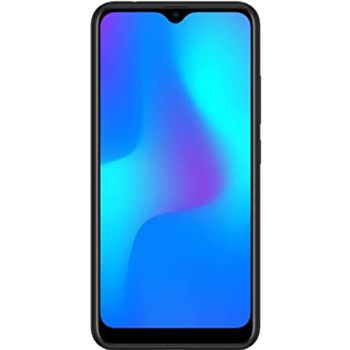
Guias disponíveis para sincronização com a nuvem segura
Funções suportadas
- sincronização de contactos
- cópia de segurança de SMS
- cópia de segurança do registo de chamadas
- sincronização de fotografias
- sincronização de vídeos
- sincronização automática


Transfira os seus contactos, fotografias, vídeos, mensagens SMS e registos de chamadas de Panasonic Eluga i8 para um armazenamento online e vice-versa para os manter seguros e atualizados.
Panasonic Eluga i8 é suportado pelo PhoneCopy.
Por favor, tenha em conta que as definições seguintes podem variar ligeiramente consoante a versão do firmware.
Modelos confirmados
Versões confirmadas
- Android 9.0 Pie
Novidades
- 28/03/21
- We tested new Android 9 on Panasonic Eluga i8 with our PhoneCopy app and it's completely working.
- 21/03/21
- Um utilizador de Índia sincronizou contactos com o seu telemóvel.
versões do Android a executar no Panasonic Eluga i8
Ao sincronizar, os utilizadores do PhoneCopy tinham as seguintes versões do Android no seu Panasonic Eluga i8: Android 9.0 Pie (100.00%).
utilizadores do Panasonic Eluga i8 em todo o mundo
De acordo com as nossas estatísticas, os utilizadores do PhoneCopy usam o Panasonic Eluga i8 para cópia de segurança de dados nos países Índia (Bharôt, ভাৰত, ভারত, Bhārat, ભારત, भारत, Bhārata, ಭಾರತ, Bhāratam, ഭാരതം, Bharôtô, ଭାରତ, ਭਾਰਤ, भारतम्, Bārata, பாரதம், Bhāratadēsam, భారత దేశం) - 100.00%.
O mapa mostra a utilização do Panasonic Eluga i8 para a cópia de segurança de contactos com o PhoneCopy em todo o mundo.
Guia de texto - Como fazer a cópia de segurança
Com Panasonic Eluga i8
- Descarregue a nossa aplicação PhoneCopy for Android para o seu dispositivo móvel.
- Depois de iniciar a aplicação, crie uma nova conta a partir da aplicação. Se já criou uma conta nas páginas web www.phonecopy.com, inicie sessão nesta conta existente na aplicação.
- Após um início de sessão bem-sucedido, siga o assistente de configuração da aplicação e depois selecione Synchronize (para uma conta com uma cópia de segurança existente) / Backup (para uma conta vazia) ou clique no botão Later e depois selecione a opção no menu lateral Back up contacts / Restore contacts para sincronização unidirecional.
Para mais informações sobre a nossa aplicação, visite a nossa página do PhoneCopy for Android.
Em caso de problemas com a sincronização, contacte-nos.
Comentários de utilizadores
Para deixar um comentário, inicie sessão.
-
Need ntuenabraham2, 09/09/26
