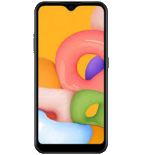
Fazer cópia de segurança de contactos, fotografias, vídeos, mensagens SMS e registos de chamadas de Samsung Galaxy A01 Core SM-A013f
Guias disponíveis para sincronização com a nuvem segura
Funções suportadas
- sincronização de contactos
- cópia de segurança de SMS
- cópia de segurança do registo de chamadas
- sincronização de fotografias
- sincronização de vídeos
- sincronização automática


Transfira os seus contactos, fotografias, vídeos, mensagens SMS e registos de chamadas de Samsung Galaxy A01 Core SM-A013f para um armazenamento online e vice-versa para os manter seguros e atualizados.
Samsung Galaxy A01 Core SM-A013f é suportado pelo PhoneCopy.
Por favor, tenha em conta que as definições seguintes podem variar ligeiramente consoante a versão do firmware.
Modelos confirmados
Versões confirmadas
- Android 10
Novidades
- 31/12/22
- O telemóvel Samsung Galaxy A01 Core SM-A013f foi sincronizado por um utilizador do PhoneCopy em Alemanha. Os seus contactos e mensagens SMS foram transferidos.
- 22/11/22
- Um novo utilizador de telemóvel sincronizou os seus contactos e mensagens SMS com o PhoneCopy a partir de França.
- 22/05/22
- We tested new Android 10 on Samsung Galaxy A01 Core SM-A013f with our PhoneCopy app and it's completely working.
- 16/05/22
- Um utilizador de Rússia sincronizou contactos com o seu telemóvel.
versões do Android a executar no Samsung Galaxy A01 Core SM-A013f
Ao sincronizar, os utilizadores do PhoneCopy tinham as seguintes versões do Android no seu Samsung Galaxy A01 Core SM-A013f: Android 10 (100.00%).
utilizadores do Samsung Galaxy A01 Core SM-A013f em todo o mundo
De acordo com as nossas estatísticas, os utilizadores do PhoneCopy usam o Samsung Galaxy A01 Core SM-A013f para cópia de segurança de dados nos países Rússia (Rossiya, Rossiâ, Россия) - 91.72%, França - 5.10%, Alemanha (Deutschland) - 3.18%.
O mapa mostra a utilização do Samsung Galaxy A01 Core SM-A013f para a cópia de segurança de contactos com o PhoneCopy em todo o mundo.
Guia de texto - Como fazer a cópia de segurança
Com Samsung Galaxy A01 Core SM-A013f
- Descarregue a nossa aplicação PhoneCopy for Android para o seu dispositivo móvel.
- Depois de iniciar a aplicação, crie uma nova conta a partir da aplicação. Se já criou uma conta nas páginas web www.phonecopy.com, inicie sessão nesta conta existente na aplicação.
- Após um início de sessão bem-sucedido, siga o assistente de configuração da aplicação e depois selecione Synchronize (para uma conta com uma cópia de segurança existente) / Backup (para uma conta vazia) ou clique no botão Later e depois selecione a opção no menu lateral Back up contacts / Restore contacts para sincronização unidirecional.
Para mais informações sobre a nossa aplicação, visite a nossa página do PhoneCopy for Android.
Em caso de problemas com a sincronização, contacte-nos.
Comentários de utilizadores
Para deixar um comentário, inicie sessão.

Keep your account safe
A Google representative will never contact you to ask you to sign in. If someone contacted you, select 'No, don't allow'.
Device zakifumsume59, 09/10/26