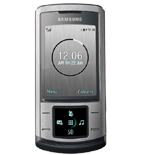
Fazer cópia de segurança de contactos, calendário, tarefas e notas de Samsung Soul
Guias disponíveis para sincronização com a nuvem segura
Funções suportadas
- sincronização de contactos
- sincronização de calendário
- sincronização de tarefas
- sincronização de notas

Transfira os seus contactos, calendário, tarefas e notas de Samsung Soul para um armazenamento online e vice-versa para os manter seguros e atualizados.
Samsung Soul é suportado pelo PhoneCopy.
Por favor, tenha em conta que as definições seguintes podem variar ligeiramente consoante a versão do firmware.
Guia de texto - Como fazer a cópia de segurança
Com Samsung Soul
A guia ainda não foi traduzida para o seu idioma.
First go to the phone's Main Menu and then follow these steps:
- Select Organiser, then Synchronize.
- Click Options and select New Synchronization profile.
- Configure given fields.
▼ hide fields
- Profile name: write PhoneCopy
- Synchronization category: select the items you would like to synchronize, All will synchronize all items
- Contacts
- to remote contacts write contacts, the rest can be left blank
- Plan
- to remote calendar write calendar, the rest can be left blank
- Task
- to remote task write tasks, the rest can be left blank
- Notes
- to remote notes write notes, the rest can be left blank
- Synchronization type: select Complete synchronization
- Synchronization server:
- Address
- write http://www.phonecopy.com/sync
- Login ID
- your_username
- Password
- your_password
- Save the data.
Congratulations!
Now, you can start syncing with PhoneCopy and get your phone backed up!
Remember, you need to sync your phone first. On your phone go to section Synchronization, click Option and select Synchronize now.
E agora, por favor, associe o seu telemóvel à sua conta PhoneCopy.
Em caso de problemas com a sincronização, contacte-nos.
