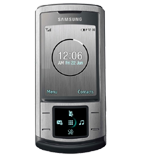
Sauvegarder contacts, calendrier, tâches et notes depuis Samsung Soul
Guides disponibles pour la synchronisation vers le cloud sécurisé
Fonctions prises en charge
- synchronisation des contacts
- synchronisation du calendrier
- synchronisation des tâches
- synchronisation des notes

Transférez vos contacts, calendrier, tâches et notes de Samsung Soul vers un espace de stockage en ligne et inversement pour les garder en sécurité et à jour.
Samsung Soul est pris en charge avec PhoneCopy.
Veuillez noter que les paramètres suivants peuvent varier légèrement en fonction de la version du micrologiciel.
Guide textuel - Comment sauvegarder
Avec Samsung Soul
First go to the phone's Main Menu and then follow these steps:
- Select Organiser, then Synchronize.
- Click Options and select New Synchronization profile.
- Configure given fields.
▼ hide fields
- Profile name: write PhoneCopy
- Synchronization category: select the items you would like to synchronize, All will synchronize all items
- Contacts
- to remote contacts write contacts, the rest can be left blank
- Plan
- to remote calendar write calendar, the rest can be left blank
- Task
- to remote task write tasks, the rest can be left blank
- Notes
- to remote notes write notes, the rest can be left blank
- Synchronization type: select Complete synchronization
- Synchronization server:
- Address
- write http://www.phonecopy.com/sync
- Login ID
- your_username
- Password
- your_password
- Save the data.
Congratulations!
Now, you can start syncing with PhoneCopy and get your phone backed up!
Remember, you need to sync your phone first. On your phone go to section Synchronization, click Option and select Synchronize now.
Et maintenant, veuillez assigner votre téléphone à votre compte PhoneCopy.
En cas de problèmes dans la synchronisation, veuillez nous contacter.
