Backup контакты, календарь, photos and videos from Apple iPhone 17 Pro
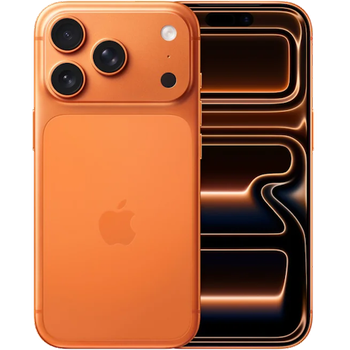
Available guides for synchronization to the secure cloud
Supported functions
- contact synchronization
- calendar synchronization
- photo synchronization
- video synchronization
- automatic sync

Transfer your контакты, календарь, photos and videos from Apple iPhone 17 Pro to an online storage and back to keep them safe and up to date.
Apple iPhone 17 Pro is supported on PhoneCopy.
Please note that following settings may vary a little depending on the firmware version.
News
- 31.08.2026
- Apple iPhone 17 Pro phone was synchronized by PhoneCopy user in New Zealand. His контакты were transferred.
- 30.08.2026
- We just got first user of Apple iPhone 17 Pro in Mexico! Someone just backed up his контакты from a new phone.
- 27.08.2026
- Recently we got new user of Apple iPhone 17 Pro also in South Africa. He is using PhoneCopy for backup of контакты and media.
- 17.08.2026
- A new phone user has synchronized his контакты to PhoneCopy from Japan.
- 16.08.2026
- We detected PhoneCopy app on Apple iPhone 17 Pro phone in Qatar. All контакты were backed up.
Apple iPhone 17 Pro users around the world
According to our statistics, PhoneCopy users use Apple iPhone 17 Pro for data backup in countries Czechia (Czech Republic, Česká republika) - 51.41%, Australia - 9.56%, Slovakia (Slovensko) - 9.45%, United Kingdom (Y Deyrnas Unedig, Unitit Kinrick, Rìoghachd Aonaichte, Ríocht Aontaithe, An Rywvaneth Unys) - 8.66%, United States (Estados Unidos, États-Unis, ‘Amelika Hui Pū ‘ia) - 3.65%, Denmark (Danmark) - 3.20%, Finland (Suomi) - 2.63%, Romania (România) - 1.81%, France - 1.69%, Singapore (Singapura, Xīnjiāpō, 新加坡, Singapur, சிங்கப்பூர்) - 1.17% and 29 more.
On the map
Histogram depicts Apple iPhone 17 Pro backup with PhoneCopy around the world.
Text guideline - How to backup
With Apple iPhone 17 Pro
- Скачайте приложение PhoneCopy для iPhone / iPad (PhoneCopy3G для iPhone 3G)
- После запуска приложения, войдите в свой аккаунт или создайте новую учетную запись.
- Выполните синхронизацию при помощи приложения. Синхронизированные контакты можно просмотреть на сайте www.phonecopy.com.
In the case of problems with synchronization, please contact us.
Комментарии пользователей
- The iPhone application need not to be associated with profile as for other phones, all is automatic.
- The application for iPhone cannot synchronize SMS and notes, because the Apple does not allow application access to them.
- You can synchronize your calendars using CalDAV protocol.
To leave a comment please sign in.
-
help import sms in iphone example ? rqcesa, 28.09.2020
-
Sorry, we don't provide SMS import to iPhone. We can only export it from iPhone to PhoneCopy.
-
