Backup контакты, photos, videos, sms messages and call logs from Google Pixel 10 Pro
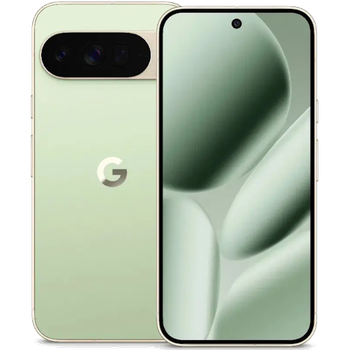
Available guides for synchronization to the secure cloud
Supported functions
- contact synchronization
- sms backup
- call log backup
- photo synchronization
- video synchronization
- automatic sync


Transfer your контакты, photos, videos, sms messages and call logs from Google Pixel 10 Pro to an online storage and back to keep them safe and up to date.
Google Pixel 10 Pro is supported on PhoneCopy.
Please note that following settings may vary a little depending on the firmware version.
Confirmed models
Confirmed versions
- Android 17
- Android 16
News
- 19.09.2026
- A new phone user has synchronized his контакты to PhoneCopy from Canada.
- 17.09.2026
- Google Pixel 10 Pro phone was synchronized by PhoneCopy user in Ukraine. His контакты were transferred.
- 16.09.2026
- This phone model was just synchronized by PhoneCopy user in Romania. It transferred контакты.
- 31.08.2026
- We noticed the update possibility of Google Pixel 10 Pro to a new Android operating system version 17.
- 20.08.2026
- Even in Poland we have a user with Google Pixel 10 Pro phone. He backs up his контакты.
- 22.02.2026
- We freshly support Google Pixel 10 Pro with Android 16 OS for photo, video, SMS, call log and contact backup.
- 19.02.2026
- A new phone user has synchronized his контакты and media to PhoneCopy from Czechia.
Android versions running on Google Pixel 10 Pro
When synchronizing, PhoneCopy users had following Android versions on their Google Pixel 10 Pro: Android 16 (59.11%), Android 17 (40.89%).
The chart shows usage of Google Pixel 10 Pro and Android versions for contact backup with PhoneCopy around the world.
Google Pixel 10 Pro users around the world
According to our statistics, PhoneCopy users use Google Pixel 10 Pro for data backup in countries Czechia (Czech Republic, Česká republika) - 82.49%, United Kingdom (Y Deyrnas Unedig, Unitit Kinrick, Rìoghachd Aonaichte, Ríocht Aontaithe, An Rywvaneth Unys) - 11.45%, United States (Estados Unidos, États-Unis, ‘Amelika Hui Pū ‘ia) - 3.37%, Poland (Polska) - 1.01%, Australia - 0.67%, Ukraine (Ukraїna, Україна) - 0.34%, Canada - 0.34%, Romania (România) - 0.34%.
The map shows usage of Google Pixel 10 Pro for contact backup with PhoneCopy around the world.
Text guideline - How to backup
With Google Pixel 10 Pro
- Скачайте приложение PhoneCopy для Android
- После запуска приложения, войдите в свой аккаунт или создайте новую учетную запись.
- Выполните синхронизацию при помощи приложения. Синхронизированные контакты можно просмотреть на сайте www.phonecopy.com.
In the case of problems with synchronization, please contact us.
Комментарии пользователей
To leave a comment please sign in.
-
For some strange reason, app cannot access phone contacts stored on device - after granting proper permission it will show 0 contacts. Checked with other contact app, and they can be accessed. Android 11 (Lineage OS 18.1), Sony Xperia ZX 1 Compact gladykov, 03.01.2022
-
Answered via private email.
-
Nuruseyd842@gmail.com
-
-
