Backup контакты, photos, videos, sms messages and call logs from Honor 8 (tfy-lx2)
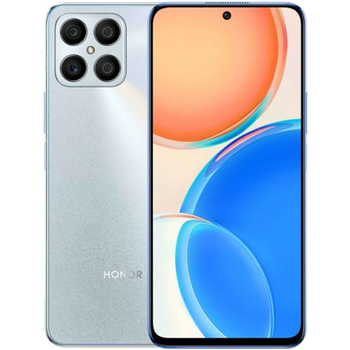
Available guides for synchronization to the secure cloud
Supported functions
- contact synchronization
- sms backup
- call log backup
- photo synchronization
- video synchronization
- automatic sync


Transfer your контакты, photos, videos, sms messages and call logs from Honor 8 (tfy-lx2) to an online storage and back to keep them safe and up to date.
Honor 8 (tfy-lx2) is supported on PhoneCopy.
Please note that following settings may vary a little depending on the firmware version.
Confirmed models
Confirmed versions
- Android 13
- Android 11
News
- 16.05.2025
- This phone model was just synchronized by PhoneCopy user in Saudi Arabia. It transferred контакты, sms messages and call logs.
- 01.03.2025
- Honor 8 (tfy-lx2) phone was synchronized by PhoneCopy user in France. His контакты and call logs were transferred.
- 22.01.2024
- We freshly support Honor 8 (tfy-lx2) with Android 11 OS for photo, video, call logs, SMS and contact backup.
- We added Honor 8 (tfy-lx2) to supported devices with Android 13.
- 15.01.2024
- User from United States has synchronized контакты and sms messages with his phone.
Android versions running on Honor 8 (tfy-lx2)
When synchronizing, PhoneCopy users had following Android versions on their Honor 8 (tfy-lx2): Android 13 (80.00%), Android 11 (20.00%).
The chart shows usage of Honor 8 (tfy-lx2) and Android versions for contact backup with PhoneCopy around the world.
Honor 8 (tfy-lx2) users around the world
Honor 8 (tfy-lx2) is often used by PhoneCopy users in countries like United States (Estados Unidos, États-Unis, ‘Amelika Hui Pū ‘ia) - 33.33%, France - 33.33%, Saudi Arabia (Al-Mamlaka Al-‘Arabiyyah as Sa‘ūdiyyah, المملكة العربية السعودية) - 33.33%.
The map shows usage of Honor 8 (tfy-lx2) for contact backup with PhoneCopy around the world.
Text guideline - How to backup
With Honor 8 (tfy-lx2)
- Скачайте приложение PhoneCopy для Android
- После запуска приложения, войдите в свой аккаунт или создайте новую учетную запись.
- Выполните синхронизацию при помощи приложения. Синхронизированные контакты можно просмотреть на сайте www.phonecopy.com.
In the case of problems with synchronization, please contact us.
Комментарии пользователей
To leave a comment please sign in.
-
Please flash my phone, it's a Samsung A05. zuberymsiri9, 19.08.2026
