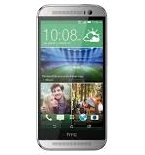
Transfer your контакты, photos, videos, sms messages and call logs from HTC One M8 to an online storage and back to keep them safe and up to date.
HTC One M8 is supported on PhoneCopy.
Please note that following settings may vary a little depending on the firmware version.
Confirmed models
831c: htc_europe/htc_m8 (qcom/msm8974)
831c: sprint_wwe/htc_m8whl (qcom/msm8974)
831c: sprint_wwe_harman/htc_m8whl (qcom/msm8974)
htc one m8: htc_europe/htc_m8 (qcom/msm8974)
htc one_m8 dual sim: htc_europe/htc_m8dug (qcom/msm8974)
htc one_m8 eye: melsuhl_htc_asia_india/htc_melsuhl (qcom/msm8974)
htc one_m8 eye: melsuhl_htc_europe/htc_melsuhl (qcom/msm8974)
htc one_m8 eye: melsuhl_htc_wwe_vnm/htc_melsuhl (qcom/msm8974)
htc one_m8: bm/htc_m8 (qcom/msm8974)
htc one_m8: brightstarus_wwe/htc_m8 (qcom/msm8974)
htc one_m8: cingular_us/htc_m8 (qcom/msm8974)
htc one_m8: globalive_wwe/htc_m8 (qcom/msm8974)
htc one_m8: h3g_uk/htc_m8 (qcom/msm8974)
htc one_m8: htc_asia_hk/htc_m8 (qcom/msm8974)
htc one_m8: htc_asia_india/htc_m8 (qcom/msm8974)
htc one_m8: htc_asia_wwe/htc_m8 (qcom/msm8974)
htc one_m8: htc_europe/htc_m8 (qcom/msm8974)
htc one_m8: htc_la_spa/htc_m8 (qcom/msm8974)
htc one_m8: htc_la_telcel_spa/htc_m8 (qcom/msm8974)
htc one_m8: htccn_chs/htc_m8tl (mt6582/msm8974)
htc one_m8: lra_us/htc_m8wl (qcom/msm8974)
htc one_m8: m8_google/htc_m8 (qcom/msm8974)
htc one_m8: o2_uk/htc_m8 (qcom/msm8974)
htc one_m8: orange_es/htc_m8 (qcom/msm8974)
htc one_m8: orange_fr-b2b/htc_m8 (qcom/msm8974)
htc one_m8: orange_pl/htc_m8 (qcom/msm8974)
htc one_m8: orange_uk/htc_m8 (qcom/msm8974)
htc one_m8: rogers_wwe/htc_m8 (qcom/msm8974)
htc one_m8: sprint_wwe/htc_m8whl (qcom/msm8974)
htc one_m8: telus_wwe/htc_m8 (qcom/msm8974)
htc one_m8: tim_it/htc_m8 (qcom/msm8974)
htc one_m8: tmo_at/htc_m8 (qcom/msm8974)
htc one_m8: tmo_de/htc_m8 (qcom/msm8974)
htc one_m8: tmo_nl/htc_m8 (qcom/msm8974)
htc one_m8: tmo_pl/htc_m8 (qcom/msm8974)
htc one_m8: tmous/htc_m8 (qcom/msm8974)
htc one_m8: vodafone_ch-de/htc_m8 (qcom/msm8974)
htc one_m8: vodafone_uk/htc_m8 (qcom/msm8974)
htc-eas-htconem8dualsim
htc_0p6b6: optus_au/htc_m8 (qcom/msm8974)
htc_0p6b: htc_asia_aus/htc_m8 (qcom/msm8974)
htc_0p6b: telstra_wwe/htc_m8 (qcom/msm8974)
htc_m8x: htc_asia_tw/htc_m8 (qcom/msm8974)
m8: cm_m8/htc_m8 (qcom/msm8974)
m8: lineage_m8/htc_m8 (qcom/msm8974)
one m8: cm_m8/htc_m8 (qcom/msm8974)
one m8: cm_m8/m8 (qcom/msm8974)
one m8: liquid_m8/htc_m8 (qcom/msm8974)
one m8: liquid_m8/m8 (qcom/msm8974)
show all
Confirmed versions
- Android 7.1 Nougat
njh47f (4.0.u605761@60220a_40.58.c33074.00_f/3.19.0.0000)
nof27b (unknown/3.19.0.0000)
nmf26v (unknown/3.19.0.0000)
show all
- Android 6.0 Marshmallow
mra58k.h10 (unknown/3.19.0.0000)
mra58k.h9 (unknown/3.19.0.0000)
mra58k.h6 (unknown/3.19.0.0000)
mra58k (1.29.214500021.24_2g_20.73.4196t.01_f/3.19.0.0000)
mra58k (1.29.214500021.12g_20.72.4196t.01_f/3.19.0.0000)
mra58k (1.29.214500021.11g_20.76.4196t.01_f/3.19.0.0000)
mra58k (1.24.30336021.13g_30.69.336021.00_f/3.19.0.0000)
mra58k (unknown/3.19.0.0000)
mmb29m (1.29.213311711.15g_20.58.00231.00_f/3.19.0.0000)
mmb29m (unknown/3.19.0.0000)
mhc19q (unknown/3.19.0.0000)
show all
- Android 5.1 Lollipop
lmy48y (unknown/3.19.0.0000)
lmy48b (unknown/3.19.0.0000)
lmy47o.h4 (unknown/3.19.0.0000)
show all
- Android 5.0 Lollipop
lrx22c.h5 (unknown/3.19.0.0000)
lrx22g (4.0.u605611@50319a_40.45.c33065.00_f/3.19.0.0000)
lrx22c (1.25.214500021.06g_20.68.4196t.01_f/3.19.0.0000)
lrx22c (1.25.21331147a1.06g_20.69.4196.01_f/3.19.0.0000)
lrx22g (1.23.213311711.05g_20.58.00231.00_f/3.19.0.0000)
lrx22g (unknown/3.19.0.0000)
lrx22c (unknown/3.19.0.0000)
lrx22c (unknown/3.19.0.0000)
lrx22c (unknown/3.18.0.0000)
lrx22c (unknown/3.16.0.0000)
show all
- Android 4.4 KitKat
ktu84p (1.22.30306251.27g_30.68.306251.00_f/3.19.0.0000)
ktu84p (1.21.21331147a1.19_2g_20.63.4196.01l_f/3.19.0.0000)
ktu84l (1.19.21331147a1.16g_20.58.4196.01l_f/3.18.0.0000)
ktu84l (1.19.21331147a1.09g_20.57.4196.01l_f/3.18.0.0000)
ktu84p.h1 (unknown/3.18.0.0000)
ktu84q (unknown/3.19.0.0000)
ktu84p (unknown/3.19.0.0000)
ktu84q (unknown/3.18.0.0000)
ktu84l (unknown/3.18.0.0000)
ktu84q (unknown/3.16.0.0000)
ktu84l (unknown/3.16.0.0000)
kot49h (1.16.21331931.la11g_20.31a.4145.02l/3.16.0.0000)
kot49h (1.16.2133156.ua15g_20.18m.4096.07l/3.16.0.0000)
kot49h (unknown/3.19.0.0000)
kot49h (unknown/3.18.0.0000)
kot49h (unknown/3.16.0.0000)
kot49h (unknown/unknown)
show all
News
- 06.07.2023
- We just got first user of this model in Madagascar! Someone just backed up his контакты and sms messages.
- 18.11.2022
- Even in Germany we have a user with HTC One M8 phone. He backs up his контакты and sms messages.
- 16.10.2021
- We detected PhoneCopy app on HTC One M8 phone in Ukraine. All контакты were backed up.
- 06.02.2020
- HTC One M8 phone was synchronized by PhoneCopy user in Czechia. His контакты were transferred.
- 22.10.2019
- Someone used PhoneCopy for backup of this phone model in Turkey. His контакты were transferred.
Android versions running on HTC One M8
When synchronizing, PhoneCopy users had following Android versions on their HTC One M8: Android 6.0 Marshmallow (47.69%), Android 4.4 KitKat (29.91%), Android 5.0 Lollipop (22.23%), Android 7.1 Nougat (0.11%), Android 5.1 Lollipop (0.06%).
Following chart shows contacts synchronisations with HTC One M8 running different Android versions.
HTC One M8 users around the world
HTC One M8 is often used by PhoneCopy users in countries like Ukraine (Ukraїna, Україна) - 50.00%, Turkey (Türkiye) - 18.75%, Madagascar (Madagasikara) - 18.75%, Germany (Deutschland) - 6.25%, Czechia (Czech Republic, Česká republika) - 6.25%.
Following heat map shows contacts synchronisations with HTC One M8 using PhoneCopy across the globe.
Text guideline - How to backup
Комментарии пользователей
See whole discussion