Backup контакты, photos, videos, sms messages and call logs from Samsung Galaxy A15 SM-A155n
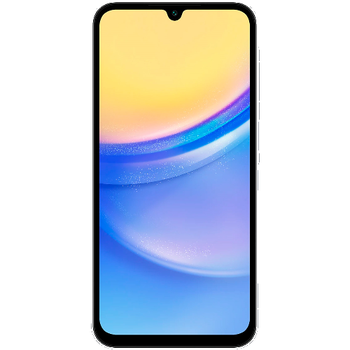
Available guides for synchronization to the secure cloud
Supported functions
- contact synchronization
- sms backup
- call log backup
- photo synchronization
- video synchronization
- automatic sync


Transfer your контакты, photos, videos, sms messages and call logs from Samsung Galaxy A15 SM-A155n to an online storage and back to keep them safe and up to date.
Samsung Galaxy A15 SM-A155n is supported on PhoneCopy.
Please note that following settings may vary a little depending on the firmware version.
Confirmed models
Confirmed versions
- Android 15
News
- 30.06.2025
- We added Samsung Galaxy A15 SM-A155n to supported devices with Android 15.
- 27.06.2025
- Even in South Korea we have a user with Samsung Galaxy A15 SM-A155n phone. He backs up his контакты and sms messages.
Android versions running on Samsung Galaxy A15 SM-A155n
When synchronizing, PhoneCopy users had following Android versions on their Samsung Galaxy A15 SM-A155n: Android 15 (100.00%).
Samsung Galaxy A15 SM-A155n users around the world
According to our statistics, PhoneCopy users use Samsung Galaxy A15 SM-A155n for data backup in countries South Korea (Hanguk, 한국, 韓國, Namhan, 남한) - 100.00%.
Following heat map shows contacts synchronisations with Samsung Galaxy A15 SM-A155n using PhoneCopy across the globe.
Text guideline - How to backup
With Samsung Galaxy A15 SM-A155n
- Скачайте приложение PhoneCopy для Android
- После запуска приложения, войдите в свой аккаунт или создайте новую учетную запись.
- Выполните синхронизацию при помощи приложения. Синхронизированные контакты можно просмотреть на сайте www.phonecopy.com.
In the case of problems with synchronization, please contact us.
Комментарии пользователей
To leave a comment please sign in.
-
-
What do I need to download my photos
-
Please check our guide https://www.phonecopy.com/en/pages/how_to_synchronize_contacts_to_android
-
-
abbas
-
When you synchronize your photos to PhoneCopy.com you can download them from your profile or you can synchronize them directly to your Windows PC via PhoneCopy for Windows. https://www.phonecopy.com/discussion/?comment_id=7263&category_id=237
-

jakeabobich, 22.10.2021