Backup контакты, photos, videos, sms messages and call logs from Samsung Galaxy S20 5G sm-g981n
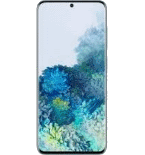
Available guides for synchronization to the secure cloud
Supported functions
- contact synchronization
- sms backup
- call log backup
- photo synchronization
- video synchronization
- automatic sync


Transfer your контакты, photos, videos, sms messages and call logs from Samsung Galaxy S20 5G sm-g981n to an online storage and back to keep them safe and up to date.
Samsung Galaxy S20 5G sm-g981n is supported on PhoneCopy.
Please note that following settings may vary a little depending on the firmware version.
Confirmed models
Confirmed versions
- Android 13
News
- 03.09.2025
- We detected PhoneCopy app on Samsung Galaxy S20 5G sm-g981n phone in Georgia. All контакты and call logs were backed up.
- 16.05.2025
- Recently we got new user of Samsung Galaxy S20 5G sm-g981n also in Germany. He is using PhoneCopy for backup of контакты and call logs.
- 24.04.2025
- We detected PhoneCopy app on Samsung Galaxy S20 5G sm-g981n phone in Pakistan. All контакты and call logs were backed up.
- 31.03.2025
- User from Oman has synchronized контакты, sms messages and call logs with his phone.
- 03.02.2025
- We just added Samsung Galaxy S20 5G sm-g981n to supported devices with the Android 13 operating system. We allow synchronization and backup of contacts, call logs, SMSes, photos, and videos to a secure PhoneCopy Cloud.
- 01.02.2025
- A new phone user has synchronized his контакты, sms messages and call logs to PhoneCopy from United States.
Android versions running on Samsung Galaxy S20 5G sm-g981n
PhoneCopy for Android app supports various Android versions. Our users synchronized their Samsung Galaxy S20 5G sm-g981n running Android 13 (100.00%).
Samsung Galaxy S20 5G sm-g981n users around the world
Samsung Galaxy S20 5G sm-g981n is preffered for contact backup by PhoneCopy users in several countries around the world - United Arab Emirates (Al-’Imārat Al-‘Arabiyyah Al-Muttaḥidah, الإمارات العربيّة المتّحدة) - 85.71%, Pakistan (Pākistān, پاکستان) - 4.76%, Germany (Deutschland) - 2.86%, Iran (Īrān, ایران) - 2.86%, Oman (‘Umān, عُمان) - 1.90%, United States (Estados Unidos, États-Unis, ‘Amelika Hui Pū ‘ia) - 0.95%, Georgia (Sak'art'velo, საქართველო) - 0.95%.
Following heat map illustrates share between users around the world synchronizing their Samsung Galaxy S20 5G sm-g981n using PhoneCopy.
Text guideline - How to backup
With Samsung Galaxy S20 5G sm-g981n
- Скачайте приложение PhoneCopy для Android
- После запуска приложения, войдите в свой аккаунт или создайте новую учетную запись.
- Выполните синхронизацию при помощи приложения. Синхронизированные контакты можно просмотреть на сайте www.phonecopy.com.
In the case of problems with synchronization, please contact us.
Комментарии пользователей
To leave a comment please sign in.
-
Please flash my phone via email. zuberymsiri9, 19.08.2026
