Backup контакты, photos, videos, sms messages and call logs from Samsung Galaxy S25 sm-s931b
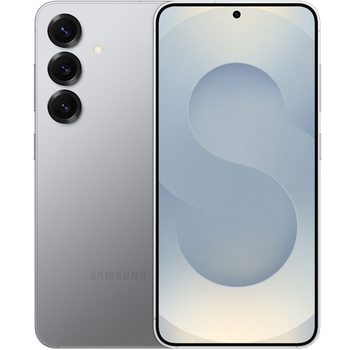
Available guides for synchronization to the secure cloud
Supported functions
- contact synchronization
- sms backup
- call log backup
- photo synchronization
- video synchronization
- automatic sync


Transfer your контакты, photos, videos, sms messages and call logs from Samsung Galaxy S25 sm-s931b to an online storage and back to keep them safe and up to date.
Samsung Galaxy S25 sm-s931b is supported on PhoneCopy.
Please note that following settings may vary a little depending on the firmware version.
Confirmed models
Confirmed versions
- Android 16
- Android 15
News
- 13.07.2026
- This phone model was just synchronized by PhoneCopy user in India. It transferred контакты.
- 02.05.2026
- User from Slovakia has synchronized контакты, media, sms messages and call logs with his phone.
- 24.03.2026
- User from Germany has synchronized контакты and media with his phone.
- 11.02.2026
- A new phone user has synchronized his контакты, sms messages and call logs to PhoneCopy from Australia.
- 04.01.2026
- Someone just used PhoneCopy for backup of Samsung Galaxy S25 sm-s931b in country Italy. His контакты were backed up.
- 26.09.2025
- We tested the functionality of the PhoneCopy app on Samsung Galaxy S25 sm-s931b device after the Android 16 update.
- 10.02.2025
- We added Samsung Galaxy S25 sm-s931b to supported devices with Android 15.
Android versions running on Samsung Galaxy S25 sm-s931b
PhoneCopy for Android app supports various Android versions. Our users synchronized their Samsung Galaxy S25 sm-s931b running Android 16 (71.13%), Android 15 (28.87%).
Following pie chart illustrates share between Android versions on Samsung Galaxy S25 sm-s931b when syncing with PhoneCopy.
Samsung Galaxy S25 sm-s931b users around the world
According to our statistics, PhoneCopy users use Samsung Galaxy S25 sm-s931b for data backup in countries Czechia (Czech Republic, Česká republika) - 61.67%, Denmark (Danmark) - 22.92%, Netherlands (Nederland, Nederlân) - 5.83%, Romania (România) - 2.50%, Italy (Italia) - 2.08%, Switzerland (Schweiz, Suisse, Svizzera, Svizra) - 1.67%, Germany (Deutschland) - 0.83%, Australia - 0.42%, Colombia - 0.42%, India (Bharôt, ভাৰত, ভারত, Bhārat, ભારત, भारत, Bhārata, ಭಾರತ, Bhāratam, ഭാരതം, Bharôtô, ଭାରତ, ਭਾਰਤ, भारतम्, Bārata, பாரதம், Bhāratadēsam, భారత దేశం) - 0.42% and 3 more.
Following heat map illustrates share between users around the world synchronizing their Samsung Galaxy S25 sm-s931b using PhoneCopy.
Text guideline - How to backup
With Samsung Galaxy S25 sm-s931b
- Скачайте приложение PhoneCopy для Android
- После запуска приложения, войдите в свой аккаунт или создайте новую учетную запись.
- Выполните синхронизацию при помощи приложения. Синхронизированные контакты можно просмотреть на сайте www.phonecopy.com.
In the case of problems with synchronization, please contact us.
Комментарии пользователей
To leave a comment please sign in.
-
Advan ita66051, 15.08.2026
