Backup контакты, photos, videos, sms messages and call logs from Samsung Galaxy S25 sm-s938b
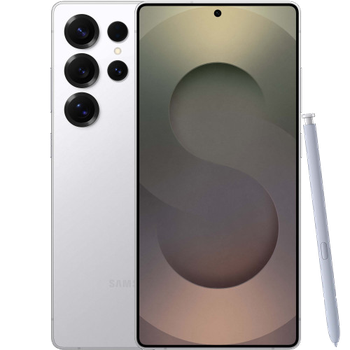
Available guides for synchronization to the secure cloud
Supported functions
- contact synchronization
- sms backup
- call log backup
- photo synchronization
- video synchronization
- automatic sync


Transfer your контакты, photos, videos, sms messages and call logs from Samsung Galaxy S25 sm-s938b to an online storage and back to keep them safe and up to date.
Samsung Galaxy S25 sm-s938b is supported on PhoneCopy.
Please note that following settings may vary a little depending on the firmware version.
Confirmed models
Confirmed versions
- Android 16
- Android 15
News
- 16.07.2026
- We just got first user of this model in Kuwait! Someone just backed up his контакты.
- 14.05.2026
- Someone used PhoneCopy for backup of this phone model in South Africa. His контакты were transferred.
- 17.11.2025
- We detected PhoneCopy app on Samsung Galaxy S25 sm-s938b phone in Slovenia. All контакты were backed up.
- 11.11.2025
- This phone model was just synchronized by PhoneCopy user in Mexico. It transferred контакты.
- 30.10.2025
- Recently we got new user of Samsung Galaxy S25 sm-s938b also in Canada. He is using PhoneCopy for backup of контакты.
- 19.09.2025
- We tested the functionality of the PhoneCopy app on Samsung Galaxy S25 sm-s938b device after the Android 16 update.
- 10.02.2025
- PhoneCopy app is fully supported on Samsung Galaxy S25 sm-s938b with Android version 15.
Android versions running on Samsung Galaxy S25 sm-s938b
PhoneCopy for Android app supports various Android versions. Our users synchronized their Samsung Galaxy S25 sm-s938b running Android 16 (52.65%), Android 15 (47.35%).
Following pie chart illustrates share between Android versions on Samsung Galaxy S25 sm-s938b when syncing with PhoneCopy.
Samsung Galaxy S25 sm-s938b users around the world
Samsung Galaxy S25 sm-s938b is often used by PhoneCopy users in countries like Egypt (Misr, Masr, مصر) - 24.33%, Italy (Italia) - 21.66%, United Arab Emirates (Al-’Imārat Al-‘Arabiyyah Al-Muttaḥidah, الإمارات العربيّة المتّحدة) - 18.73%, United Kingdom (Y Deyrnas Unedig, Unitit Kinrick, Rìoghachd Aonaichte, Ríocht Aontaithe, An Rywvaneth Unys) - 14.39%, Germany (Deutschland) - 5.35%, Denmark (Danmark) - 2.42%, Czechia (Czech Republic, Česká republika) - 2.17%, Mexico (México, Mēxihco) - 1.66%, Indonesia - 1.15%, Spain (España, Espanya, Espainia, Espanha) - 1.15% and 16 other countries.
Following heat map illustrates share between users around the world synchronizing their Samsung Galaxy S25 sm-s938b using PhoneCopy.
Text guideline - How to backup
With Samsung Galaxy S25 sm-s938b
- Скачайте приложение PhoneCopy для Android
- После запуска приложения, войдите в свой аккаунт или создайте новую учетную запись.
- Выполните синхронизацию при помощи приложения. Синхронизированные контакты можно просмотреть на сайте www.phonecopy.com.
In the case of problems with synchronization, please contact us.
Комментарии пользователей
To leave a comment please sign in.
-
Thanks for all. bikorimanasamuel, 24.07.2026
