Backup контакты, photos, videos, sms messages and call logs from Samsung Tab A9 (SM-X117u)
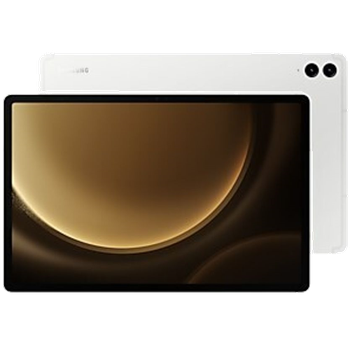
Available guides for synchronization to the secure cloud
Supported functions
- contact synchronization
- sms backup
- call log backup
- photo synchronization
- video synchronization
- automatic sync


Transfer your контакты, photos, videos, sms messages and call logs from Samsung Tab A9 (SM-X117u) to an online storage and back to keep them safe and up to date.
Samsung Tab A9 (SM-X117u) is supported on PhoneCopy.
Please note that following settings may vary a little depending on the firmware version.
Confirmed models
Confirmed versions
- Android 16
News
- 16.03.2026
- PhoneCopy app is fully supported on Samsung Tab A9 (SM-X117u) with Android version 16.
- 11.03.2026
- This phone model was just synchronized by PhoneCopy user in United States. It transferred контакты.
Android versions running on Samsung Tab A9 (SM-X117u)
PhoneCopy for Android app supports various Android versions. Our users synchronized their Samsung Tab A9 (SM-X117u) running Android 16 (100.00%).
Samsung Tab A9 (SM-X117u) users around the world
Samsung Tab A9 (SM-X117u) is preffered for contact backup by PhoneCopy users in several countries around the world - United States (Estados Unidos, États-Unis, ‘Amelika Hui Pū ‘ia) - 100.00%.
Following heat map illustrates share between users around the world synchronizing their Samsung Tab A9 (SM-X117u) using PhoneCopy.
Text guideline - How to backup
With Samsung Tab A9 (SM-X117u)
- Скачайте приложение PhoneCopy для Android
- После запуска приложения, войдите в свой аккаунт или создайте новую учетную запись.
- Выполните синхронизацию при помощи приложения. Синхронизированные контакты можно просмотреть на сайте www.phonecopy.com.
In the case of problems with synchronization, please contact us.
Комментарии пользователей
To leave a comment please sign in.
-
-
Hello, answered via private email.
-

Phonecopy App on Android phone sees only Phone contacts and Google Account contacts. But if the phone has Exchange Account (and contacts), Phonecopy App does not see this account and cannot add it as source of data (contacts). comsync, 08.07.2022