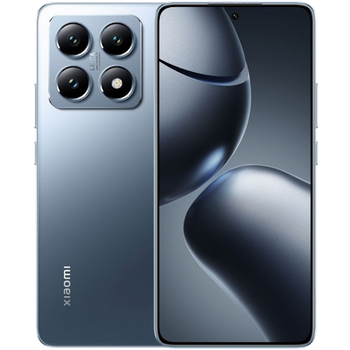
Backup контакты, photos, videos, sms messages and call logs from Xiaomi 14T 5G
Available guides for synchronization to the secure cloud
Supported functions
- contact synchronization
- sms backup
- call log backup
- photo synchronization
- video synchronization
- automatic sync


Transfer your контакты, photos, videos, sms messages and call logs from Xiaomi 14T 5G to an online storage and back to keep them safe and up to date.
Xiaomi 14T 5G is supported on PhoneCopy.
Please note that following settings may vary a little depending on the firmware version.
Confirmed models
Confirmed versions
- Android 16
- Android 15
- Android 14
News
- 21.07.2026
- We just got first user of this model in France! Someone just backed up his контакты.
- 05.05.2026
- A new phone user has synchronized his контакты to PhoneCopy from Serbia.
- 28.01.2026
- This phone model was just synchronized by PhoneCopy user in Singapore. It transferred контакты.
- 08.01.2026
- A new phone user has synchronized his контакты to PhoneCopy from United States.
- 12.12.2025
- Android 16 can be officially updated even on Xiaomi 14T 5G.
- 29.09.2025
- Recently we got new user of Xiaomi 14T 5G also in Germany. He is using PhoneCopy for backup of контакты and call logs.
- 09.03.2025
- PhoneCopy app is fully working after updating the Xiaomi 14T 5G to Android 15.
- 20.10.2024
- We tested new Android 14 on Xiaomi 14T 5G with our PhoneCopy app and it's completely working.
Android versions running on Xiaomi 14T 5G
PhoneCopy for Android app supports various Android versions. Our users synchronized their Xiaomi 14T 5G running Android 15 (58.23%), Android 16 (21.95%), Android 14 (19.82%).
Following pie chart illustrates share between Android versions on Xiaomi 14T 5G when syncing with PhoneCopy.
Xiaomi 14T 5G users around the world
Xiaomi 14T 5G is preffered for contact backup by PhoneCopy users in several countries around the world - Czechia (Czech Republic, Česká republika) - 91.15%, Romania (România) - 6.97%, Singapore (Singapura, Xīnjiāpō, 新加坡, Singapur, சிங்கப்பூர்) - 0.38%, Hungary (Magyarország) - 0.19%, Serbia (Srbija, Србија) - 0.19%, France - 0.19%, United Kingdom (Y Deyrnas Unedig, Unitit Kinrick, Rìoghachd Aonaichte, Ríocht Aontaithe, An Rywvaneth Unys) - 0.19%, Greece (Hellas, Ελλάς, Ellada, Ελλάδα) - 0.19%, Slovakia (Slovensko) - 0.19%, Germany (Deutschland) - 0.19%, United States (Estados Unidos, États-Unis, ‘Amelika Hui Pū ‘ia) - 0.19%.
Following heat map illustrates share between users around the world synchronizing their Xiaomi 14T 5G using PhoneCopy.
Text guideline - How to backup
With Xiaomi 14T 5G
- Скачайте приложение PhoneCopy для Android
- После запуска приложения, войдите в свой аккаунт или создайте новую учетную запись.
- Выполните синхронизацию при помощи приложения. Синхронизированные контакты можно просмотреть на сайте www.phonecopy.com.
In the case of problems with synchronization, please contact us.
Комментарии пользователей
To leave a comment please sign in.
-
-
Hello, 96,486 is really big count of SMS. It is possible that the processing of such a number of items takes a long time and it is possible that server terminate the communication due to a long time without response from the device.
We are curently working on optimalization of application, which may solve issue like yours. We will release new version of app asap, within a few days at the latest. We will contact you. Please, be patient.
Thank you-
Hello,
we developed a promised new beta version (3.4.3) of app. This optimized version should solve your reported issue. Please, download and install new version and try to sync again with it.
I recommend, plug in charger during sync, because sync of big count of items take long time and it is possible that Android system will try to limit the app due to battery life.
Download link: https://www.phonecopy.com/android/download/phonecopy.apk
Please, send us feedback, if it works now or not.
Thank you for your patience and cooperation.
-
-

My phone has 96,486 SMS that has to be backed up but the process keeps terminating due to "internet connection lost". My fiber internet access is quite stable so I don't think disruption is the cause. Is there a way I can back up the sms in parts? mebacal1960, 19.10.2020