Sigma Mobile X-Style S3500 sKai dan yedeklenen kişiler, takvim, fotoğraflar ve videolar
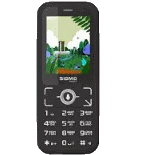
Güvenli buluta senkronizasyon için mevcut kılavuzlar
Desteklenen işlevler
- Kişiler senkronizasyonu
- Takvim senkronizasyonu
- fotoğraf senkronizasyonu
- video senkronizasyonu
- Otomatik senkronizasyon


kişiler, takvim, fotoğraflar ve videolar verilerinizi Sigma Mobile X-Style S3500 sKai cihazından çevrimiçi bir depolama alanına ve geri aktararak güvende ve güncel tutun.
Sigma Mobile X-Style S3500 sKai cihazını PhoneCopy desteklenmektedir.
Lütfen aşağıdaki ayarların ürün yazılımı sürümüne bağlı olarak biraz değişebileceğini unutmayın.
Talimat metni - Nasıl yedekleme yapılır
Sigma Mobile X-Style S3500 sKai 'dan
- Download our PhoneCopy for KaiOS from application KaiOS Marketplace to your mobile device.
- After launching the application, create a new account from the application. If you have already created an account on web pages www.phonecopy.com, log in to this existing account in the application.
- After succesful login press "Synchronize" for complete synchronization, you can choose "This device >> Server" for one-way sync.
If you need more help with the settings, visit our step by step screenshot guide: How to synchronize contacts to phone with KaiOS
If you need more help with the settings, visit our step by step screenshot guide: How to backup contacts from phone with Kai OS
Senkronizasyon esnasında herhangi bir problemle karşılaşırsanız Yardım İsteyin
Sigma Mobile X-Style S3500 sKai 'a doğru
- Download our PhoneCopy for KaiOS from application KaiOS Marketplace to your mobile device.
- After launching the application, log in to this existing account in the application.
- After succesful login press "Synchronize" for complete synchronization, you can choose "Server >> This device" for one-way sync.
If you need more help with the settings, visit our step by step screenshot guide: How to synchronize contacts to phone with KaiOS
If you need more help with the settings, visit our step by step screenshot guide: How to backup contacts from phone with Kai OS
Senkronizasyon esnasında herhangi bir problemle karşılaşırsanız Yardım İsteyin
Kullanıcı yorumları
Yorum yazmak için lütfen Giriş yapın
-
-
Hi, PhoneCopy offers on-line transfer and synchronzation of contact list only.
Please check our guide for KaiOS https://www.phonecopy.com/en/pages/how_to_backup_contacts_from_kaios_os and Windows https://www.phonecopy.com/en/pages/how_to_synchronize_data_to_windows_10 . We don't deal with Bluetooth at all.
-

How to copy Kaois OS 2.5 phone contacts list to PC Windows 10 via Bluetooth? So far, all I've found on-line wants to instruct about Android.
Many thanks. pilgrimhiker, 18.07.2022