Sauvegarder contacts, calendrier, photos et vidéos depuis Sigma Mobile X-Style S3500 sKai
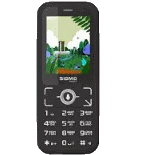
Guides disponibles pour la synchronisation vers le cloud sécurisé
Depuis l'appareil
À partir de Sigma Mobile X-Style S3500 sKaiÀ partir de Sigma Mobile X-Style S3500 sKai
Fonctions prises en charge
- synchronisation des contacts
- synchronisation du calendrier
- synchronisation des photos
- synchronisation des vidéos
- synchronisation automatique


Transférez vos contacts, calendrier, photos et vidéos de Sigma Mobile X-Style S3500 sKai vers un espace de stockage en ligne et inversement pour les garder en sécurité et à jour.
Sigma Mobile X-Style S3500 sKai est pris en charge avec PhoneCopy.
Veuillez noter que les paramètres suivants peuvent varier légèrement en fonction de la version du micrologiciel.
Guide textuel - Comment sauvegarder
À partir de Sigma Mobile X-Style S3500 sKai
- Download our PhoneCopy for KaiOS from application KaiOS Marketplace to your mobile device.
- After launching the application, create a new account from the application. If you have already created an account on web pages www.phonecopy.com, log in to this existing account in the application.
- After succesful login press "Synchronize" for complete synchronization, you can choose "This device >> Server" for one-way sync.
If you need more help with the settings, visit our step by step screenshot guide: How to synchronize contacts to phone with KaiOS
If you need more help with the settings, visit our step by step screenshot guide: How to backup contacts from phone with Kai OS
En cas de problèmes dans la synchronisation, veuillez nous contacter.
Vers Sigma Mobile X-Style S3500 sKai
- Download our PhoneCopy for KaiOS from application KaiOS Marketplace to your mobile device.
- After launching the application, log in to this existing account in the application.
- After succesful login press "Synchronize" for complete synchronization, you can choose "Server >> This device" for one-way sync.
If you need more help with the settings, visit our step by step screenshot guide: How to synchronize contacts to phone with KaiOS
If you need more help with the settings, visit our step by step screenshot guide: How to backup contacts from phone with Kai OS
En cas de problèmes dans la synchronisation, veuillez nous contacter.
Commentaires des utilisateurs
Pour laisser un commentaire identifiez-vous.
-
-
Hi, PhoneCopy offers on-line transfer and synchronzation of contact list only.
Please check our guide for KaiOS https://www.phonecopy.com/en/pages/how_to_backup_contacts_from_kaios_os and Windows https://www.phonecopy.com/en/pages/how_to_synchronize_data_to_windows_10 . We don't deal with Bluetooth at all.
-

How to copy Kaois OS 2.5 phone contacts list to PC Windows 10 via Bluetooth? So far, all I've found on-line wants to instruct about Android.
Many thanks. pilgrimhiker, 18/07/2022