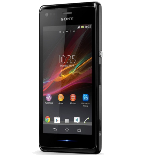
kişiler, fotoğraflar, videolar, sms mesajları ve arama günlükleri verilerinizi Sony Xperia M (C1905) cihazından çevrimiçi bir depolama alanına ve geri aktararak güvende ve güncel tutun.
Sony Xperia M (C1905) cihazını PhoneCopy desteklenmektedir.
Lütfen aşağıdaki ayarların ürün yazılımı sürümüne bağlı olarak biraz değişebileceğini unutmayın.
Onaylanan modeller
c1905: c1905/c1905 (qcom/msm8227)
c1905: c1905/nicki (qcom/qcom)
c1905: c1905_1274-3821/c1905 (qcom/msm8227)
c1905: c1905_1274-3825/c1905 (qcom/msm8227)
c1905: c1905_1274-4029/c1905 (qcom/msm8227)
c1905: c1905_1274-5410/c1905 (qcom/msm8227)
c1905: c1905_1274-5434/c1905 (qcom/msm8227)
c1905: c1905_1274-5438/c1905 (qcom/msm8227)
c1905: c1905_1274-5449/c1905 (qcom/msm8227)
c1905: c1905_1274-5452/c1905 (qcom/msm8227)
c1905: c1905_1274-5454/c1905 (qcom/msm8227)
c1905: c1905_1274-5466/c1905 (qcom/msm8227)
c1905: c1905_1274-5468/c1905 (qcom/msm8227)
c1905: c1905_1274-5473/c1905 (qcom/msm8227)
c1905: c1905_1274-5496/c1905 (qcom/msm8227)
c1905: c1905_1274-5498/c1905 (qcom/msm8227)
c1905: c1905_1274-5500/c1905 (qcom/msm8227)
c1905: c1905_1274-5505/c1905 (qcom/msm8227)
c1905: c1905_1274-5507/c1905 (qcom/msm8227)
c1905: c1905_1274-5509/c1905 (qcom/msm8227)
c1905: c1905_1274-5521/c1905 (qcom/msm8227)
c1905: c1905_1274-5523/c1905 (qcom/msm8227)
c1905: c1905_1274-5529/c1905 (qcom/msm8227)
c1905: c1905_1274-5543/c1905 (qcom/msm8227)
c1905: c1905_1274-5547/c1905 (qcom/msm8227)
c1905: c1905_1274-5549/c1905 (qcom/msm8227)
c1905: c1905_1274-5551/c1905 (qcom/msm8227)
c1905: c1905_1274-5553/c1905 (qcom/msm8227)
c1905: c1905_1274-5561/c1905 (qcom/msm8227)
c1905: c1905_1274-5576/c1905 (qcom/msm8227)
c1905: c1905_1274-5578/c1905 (qcom/msm8227)
c1905: c1905_1274-5580/c1905 (qcom/msm8227)
c1905: c1905_1274-8180/c1905 (qcom/msm8227)
c1905: c1905_1274-8182/c1905 (qcom/msm8227)
c1905: c1905_1274-8220/c1905 (qcom/msm8227)
c1905: c1905_1274-8235/c1905 (qcom/msm8227)
c1905: c1905_1274-8237/c1905 (qcom/msm8227)
c1905: c1905_1274-8239/c1905 (qcom/msm8227)
c1905: c1905_1275-2501/c1905 (qcom/msm8227)
c1905: c1905_1275-2503/c1905 (qcom/msm8227)
c1905: c1905_1275-3031/c1905 (qcom/msm8227)
c1905: c1905_1275-3040/c1905 (qcom/msm8227)
c1905: c1905_1275-3044/c1905 (qcom/msm8227)
c1905: c1905_1275-3046/c1905 (qcom/msm8227)
c1905: c1905_1275-9354/c1905 (qcom/msm8227)
c1905: c1905_1276-2278/c1905 (qcom/msm8227)
c1905: c1905_1276-4509/c1905 (qcom/msm8227)
c1905: c1905_1276-7554/c1905 (qcom/msm8227)
c1905: c1905_1276-7801/c1905 (qcom/msm8227)
c1905: c1905_1276-8737/c1905 (qcom/msm8227)
c1905: c1905_1277-0065/c1905 (qcom/msm8227)
c1905: c1905_1277-0822/c1905 (qcom/msm8227)
c1905: c1905_1277-8307/c1905 (qcom/msm8227)
c1905: c1905_1278-5374/c1905 (qcom/msm8227)
sonyc1905
xperia m-c1905: a6cl/xperia_m (mt6582/a6cl)
show all
Onaylanan sürümler
- Android 7.1 Nougat
nde63p (unknown/s1)
show all
- Android 4.3 Jelly Bean
15.4.a.1.9 (unknown/s1)
15.4.a.0.23 (unknown/s1)
show all
- Android 4.2 Jelly Bean
jdq39 (unknown/unknown)
show all
- Android 4.1 Jelly Bean
15.1.c.2.9 (unknown/s1)
15.1.c.2.8 (unknown/s1)
15.1.c.1.17 (unknown/s1)
15.1.a.1.9 (unknown/s1)
15.1.b.0.3 (unknown/s1)
15.1.b.0.2 (unknown/s1)
show all
Sony Xperia M (C1905) üzerinde çalışan Android sürümleri
PhoneCopy for Android uygulaması çeşitli Android sürümlerini desteklemektedir. Kullanıcılarımız Android 4.3 Jelly Bean (63.46%), Android 4.1 Jelly Bean (36.28%), Android 4.2 Jelly Bean (0.13%), Android 7.1 Nougat (0.13%) çalıştıran Sony Xperia M (C1905) cihazlarını senkronize etti.
Sony Xperia M (C1905) üzerindeki Android sürümleri
Aşağıdaki pasta grafiği, PhoneCopy ile senkronize edilirken Sony Xperia M (C1905) üzerindeki Android sürümleri arasındaki payı göstermektedir.
Talimat metni - Nasıl yedekleme yapılır
Sony Xperia M (C1905) ile
- PhoneCopy for Android uygulamamızı mobil cihazınıza indirin.
- Uygulamayı başlattıktan sonra, uygulama üzerinden yeni bir hesap oluşturun. www.phonecopy.com web sayfalarında zaten bir hesap oluşturduysanız, bu mevcut hesapla uygulamada giriş yapın.
- Başarılı bir girişten sonra, uygulamanın kurulum sihirbazını takip edin ve ardından (mevcut bir yedeği olan hesaplar için) Synchronize / (boş bir hesap için) Backup öğesini seçin veya Later düğmesine basıp tek yönlü senkronizasyon için yan menüden Back up contacts / Restore contacts seçeneğini belirleyin.
Uygulamamız hakkında daha fazla bilgi için, PhoneCopy for Android sayfamızı.
Senkronizasyon esnasında herhangi bir problemle karşılaşırsanız Yardım İsteyin
Kullanıcı yorumları
Tüm tartışmayı gör