Sony Xperia T2 Ultra Dual (D5322) dan yedeklenen kişiler, fotoğraflar, videos, sms mesajları ve call logs
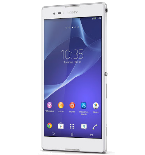
Available guides for synchronization to the secure cloud
Supported functions
- Kişiler senkronizasyonu
- SMS yedeklemesi
- call log backup
- photo synchronization
- video synchronization
- Otomatik senkronizasyon


Transfer your kişiler, fotoğraflar, videos, sms mesajları ve call logs from Sony Xperia T2 Ultra Dual (D5322) to an online storage and back to keep them safe and up to date.
Sony Xperia T2 Ultra Dual (D5322) cihazını PhoneCopy desteklenmektedir.
Please note that following settings may vary a little depending on the firmware version.
Confirmed models
Confirmed versions
- Android 5.1 Lollipop
- Android 5.0 Lollipop
- Android 4.4 KitKat
- Android 4.3 Jelly Bean
News
- 12.06.2020
- Sony Xperia T2 Ultra Dual (D5322) phone was synchronized by PhoneCopy user in India. His kişiler were transferred.
Android versions running on Sony Xperia T2 Ultra Dual (D5322)
PhoneCopy for Android app supports various Android versions. Our users synchronized their Sony Xperia T2 Ultra Dual (D5322) running Android 5.1 Lollipop (36.31%), Android 4.4 KitKat (35.03%), Android 5.0 Lollipop (25.90%), Android 4.3 Jelly Bean (2.76%).
The chart depicts Sony Xperia T2 Ultra Dual (D5322) backup with PhoneCopy, running on various versions of Android.
Sony Xperia T2 Ultra Dual (D5322) users around the world
Sony Xperia T2 Ultra Dual (D5322) is preffered for contact backup by PhoneCopy users in several countries around the world - India (Bharôt, ভাৰত, ভারত, Bhārat, ભારત, भारत, Bhārata, ಭಾರತ, Bhāratam, ഭാരതം, Bharôtô, ଭାରତ, ਭਾਰਤ, भारतम्, Bārata, பாரதம், Bhāratadēsam, భారత దేశం) - 100.00%.
Histogram depicts Sony Xperia T2 Ultra Dual (D5322) backup with PhoneCopy around the world.
Talimat metni - Nasıl yedekleme yapılır
Sony Xperia T2 Ultra Dual (D5322) ile
- Download our PhoneCopy for Android application to your mobile device.
- After launching the application, create a new account from the application. If you have already created an account on web pages www.phonecopy.com, log in to this existing account in the application.
- After successful login, go through the application setup wizard and then select Synchronize (for an account with an existing backup) / Backup (for an empty account) or press the Later button and then select option in the side menu Back up contacts / Restore contacts for one-way synchronization.
For more information about our app, visit our PhoneCopy for Android page.
Senkronizasyon esnasında herhangi bir problemle karşılaşırsanız Yardım İsteyin
Kullanıcı yorumları
Yorum yazmak için lütfen Giriş yapın
-
-
What do I need to download my photos
-
Please check our guide https://www.phonecopy.com/en/pages/how_to_synchronize_contacts_to_android
-
-
abbas
-
When you synchronize your photos to PhoneCopy.com you can download them from your profile or you can synchronize them directly to your Windows PC via PhoneCopy for Windows. https://www.phonecopy.com/discussion/?comment_id=7263&category_id=237
-

jakeabobich, 22.10.2021