Vivo Z1x (1917) dan yedeklenen kişiler, fotoğraflar, videolar, sms mesajları ve arama günlükleri
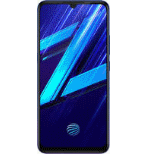
Güvenli buluta senkronizasyon için mevcut kılavuzlar
Desteklenen işlevler
- Kişiler senkronizasyonu
- SMS yedeklemesi
- arama günlüğü yedeklemesi
- fotoğraf senkronizasyonu
- video senkronizasyonu
- Otomatik senkronizasyon


kişiler, fotoğraflar, videolar, sms mesajları ve arama günlükleri verilerinizi Vivo Z1x (1917) cihazından çevrimiçi bir depolama alanına ve geri aktararak güvende ve güncel tutun.
Vivo Z1x (1917) cihazını PhoneCopy desteklenmektedir.
Lütfen aşağıdaki ayarların ürün yazılımı sürümüne bağlı olarak biraz değişebileceğini unutmayın.
Onaylanan modeller
Onaylanan sürümler
- Android 11
- Android 10
- Android 9.0 Pie
Haberler
- 30.12.2021
- User from Singapur has synchronized kişiler with his phone.
- 19.05.2021
- We added Vivo Z1x (1917) to supported devices with Android 11.
- 2.01.2020
- Recently we got new user of Vivo Z1x (1917) also in Hindistan. He is using PhoneCopy for backup of kişiler.
Vivo Z1x (1917) üzerinde çalışan Android sürümleri
PhoneCopy for Android uygulaması çeşitli Android sürümlerini desteklemektedir. Kullanıcılarımız Android 11 (75.00%), Android 10 (18.75%), Android 9.0 Pie (6.25%) çalıştıran Vivo Z1x (1917) cihazlarını senkronize etti.
Grafik, çeşitli Android sürümlerinde çalışan Vivo Z1x (1917) cihazının PhoneCopy ile yedeklenmesini göstermektedir.
dünya genelindeki Vivo Z1x (1917) kullanıcıları
Vivo Z1x (1917), PhoneCopy kullanıcıları tarafından Hindistan (Bharôt, ভাৰত, ভারত, Bhārat, ભારત, भारत, Bhārata, ಭಾರತ, Bhāratam, ഭാരതം, Bharôtô, ଭାରତ, ਭਾਰਤ, भारतम्, Bārata, பாரதம், Bhāratadēsam, భారత దేశం) - 99.19%, Singapur (Singapura, Xīnjiāpō, 新加坡, Singapur, சிங்கப்பூர்) - 0.81% gibi ülkelerde sıklıkla kullanılmaktadır.
Histogram, dünya genelinde PhoneCopy ile Vivo Z1x (1917) yedeklemesini göstermektedir.
Talimat metni - Nasıl yedekleme yapılır
Vivo Z1x (1917) ile
- PhoneCopy for Android uygulamamızı mobil cihazınıza indirin.
- Uygulamayı başlattıktan sonra, uygulama üzerinden yeni bir hesap oluşturun. www.phonecopy.com web sayfalarında zaten bir hesap oluşturduysanız, bu mevcut hesapla uygulamada giriş yapın.
- Başarılı bir girişten sonra, uygulamanın kurulum sihirbazını takip edin ve ardından (mevcut bir yedeği olan hesaplar için) Synchronize / (boş bir hesap için) Backup öğesini seçin veya Later düğmesine basıp tek yönlü senkronizasyon için yan menüden Back up contacts / Restore contacts seçeneğini belirleyin.
Uygulamamız hakkında daha fazla bilgi için, PhoneCopy for Android sayfamızı.
Senkronizasyon esnasında herhangi bir problemle karşılaşırsanız Yardım İsteyin
Kullanıcı yorumları
Yorum yazmak için lütfen Giriş yapın
-
-
Hello, answered via private email.
-

Phonecopy App on Android phone sees only Phone contacts and Google Account contacts. But if the phone has Exchange Account (and contacts), Phonecopy App does not see this account and cannot add it as source of data (contacts). comsync, 8.07.2022