Vodafone Smart First (VFD-200) dan yedeklenen kişiler, fotoğraflar, videolar, sms mesajları ve arama günlükleri
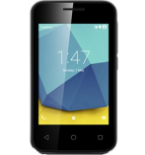
Güvenli buluta senkronizasyon için mevcut kılavuzlar
Desteklenen işlevler
- Kişiler senkronizasyonu
- SMS yedeklemesi
- arama günlüğü yedeklemesi
- fotoğraf senkronizasyonu
- video senkronizasyonu
- Otomatik senkronizasyon


kişiler, fotoğraflar, videolar, sms mesajları ve arama günlükleri verilerinizi Vodafone Smart First (VFD-200) cihazından çevrimiçi bir depolama alanına ve geri aktararak güvende ve güncel tutun.
Vodafone Smart First (VFD-200) cihazını PhoneCopy desteklenmektedir.
Lütfen aşağıdaki ayarların ürün yazılımı sürümüne bağlı olarak biraz değişebileceğini unutmayın.
Onaylanan modeller
Onaylanan sürümler
- Android 5.1 Lollipop
Haberler
- 11.12.2020
- User from İngiltere has synchronized kişiler with his phone.
- 23.06.2020
- This phone model was just synchronized by PhoneCopy user in İrlanda. It transferred kişiler.
- 3.06.2020
- We just got first user of Vodafone Smart First (VFD-200) in Almanya! Someone just backed up his kişiler from a new phone.
- 12.03.2020
- Recently we got new user of Vodafone Smart First (VFD-200) also in Kenya. He is using PhoneCopy for backup of kişiler.
- 28.10.2019
- First user from Güney Afrika just synced his kişiler on Vodafone Smart First (VFD-200) phone.
Vodafone Smart First (VFD-200) üzerinde çalışan Android sürümleri
Senkronizasyon sırasında, PhoneCopy kullanıcılarının Vodafone Smart First (VFD-200) cihazlarında şu Android sürümleri vardı: Android 5.1 Lollipop (100.00%).
dünya genelindeki Vodafone Smart First (VFD-200) kullanıcıları
Vodafone Smart First (VFD-200), PhoneCopy kullanıcıları tarafından Almanya (Deutschland) - 43.48%, İngiltere (Y Deyrnas Unedig, Unitit Kinrick, Rìoghachd Aonaichte, Ríocht Aontaithe, An Rywvaneth Unys) - 42.03%, Güney Afrika (Suid-Afrika, iNingizimu Afrika, uMzantsi Afrika, Afrika-Borwa, Afrika Borwa, Aforika Borwa, Afurika Tshipembe, Afrika Dzonga, iSewula Afrika) - 11.59%, İrlanda (Éire) - 1.45%, Kenya - 1.45% gibi ülkelerde sıklıkla kullanılmaktadır.
Aşağıdaki ısı haritası, dünya genelinde PhoneCopy kullanarak Vodafone Smart First (VFD-200) ile yapılan kişi senkronizasyonlarını göstermektedir.
Talimat metni - Nasıl yedekleme yapılır
Vodafone Smart First (VFD-200) ile
- PhoneCopy for Android uygulamamızı mobil cihazınıza indirin.
- Uygulamayı başlattıktan sonra, uygulama üzerinden yeni bir hesap oluşturun. www.phonecopy.com web sayfalarında zaten bir hesap oluşturduysanız, bu mevcut hesapla uygulamada giriş yapın.
- Başarılı bir girişten sonra, uygulamanın kurulum sihirbazını takip edin ve ardından (mevcut bir yedeği olan hesaplar için) Synchronize / (boş bir hesap için) Backup öğesini seçin veya Later düğmesine basıp tek yönlü senkronizasyon için yan menüden Back up contacts / Restore contacts seçeneğini belirleyin.
Uygulamamız hakkında daha fazla bilgi için, PhoneCopy for Android sayfamızı.
Senkronizasyon esnasında herhangi bir problemle karşılaşırsanız Yardım İsteyin
Kullanıcı yorumları
Yorum yazmak için lütfen Giriş yapın
-
How do I make my American parent as a donation so it accepts it? anniebugg, 12.09.2022
-
Hi, can you, please, a little more explain your request? Our Donation form is located at https://www.phonecopy.com/en/donate/ and supports most cards and Paypal.
-
