Kontakte, Kalender, Fotos und Videos sichern: Apple Duo
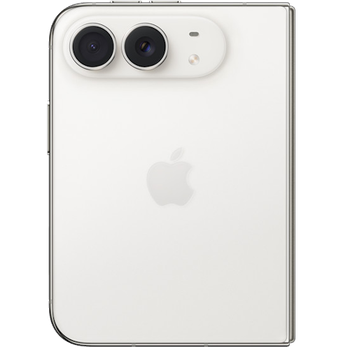
Verfügbare Anleitungen für die Synchronisierung mit der sicheren Cloud
Unterstützte Funktionen
- Kontakt-Synchronisation
- Kalender-Synchronisation
- Foto-Synchronisierung
- Video-Synchronisation
- automatisch synchronisieren

Übertragen Sie Ihre Kontakte, Kalender, Fotos und Videos von Apple Duo in einen Online-Speicher und zurück, um sie sicher und aktuell zu halten.
Apple Duo wird von PhoneCopy unterstützt.
Bitte beachten Sie, dass die folgenden Einstellungen je nach Firmware-Version leicht variieren können.
Textanleitung - So sichern Sie Ihre Daten
Mit Apple Duo
Sie können auch unsere ausführlichen Anleitungen mit Screenshots verwenden: Siehe wie man Kontakte vom iPhone/iPad überträgt oder wie man Kontakte auf das iPhone/iPad überträgt.
- Installieren Sie PhoneCopy für iPhone / iPad aus dem App Store.
- Starten Sie die App und folgen Sie dem angezeigten Assistenten. Melden Sie sich an, wenn Sie bereits ein PhoneCopy-Konto haben, oder registrieren Sie sich, wenn Sie ein neues erstellen möchten.
- Erlauben Sie den Zugriff auf Kontakte und wählen Sie dann die Quellen (Konten) aus, die Sie synchronisieren möchten. Erlauben Sie anschließend den Zugriff auf Medien und wählen Sie aus, ob Sie Fotos und/oder Videos synchronisieren möchten. Wenn Sie PhoneCopy keinen Zugriff auf Ihre Medien gewähren, werden nur Ihre Kontakte synchronisiert.
- Wenn Sie bereits Medien in Ihrem PhoneCopy-Konto haben, können Sie sich dafür entscheiden, diese auf dieses Gerät zu synchronisieren (herunterzuladen).
- Tippen Sie abschließend auf Synchronize, um die vollständige Synchronisierung durchzuführen.
Wenn Sie den Kalender synchronisieren müssen, lesen Sie unsere Anleitung zur Synchronisierung von Kalendern mit iOS-Geräten.
Bei Problemen mit der Synchronisierung, bitte kontaktieren Sie uns.
Benutzer Kommentare
- The iPhone application need not to be associated with profile as for other phones, all is automatic.
- The application for iPhone cannot synchronize SMS and notes, because the Apple does not allow application access to them.
- You can synchronize your calendars using CalDAV protocol.
Um einen Kommentar zu hinterlassen, melden Sie sich an.
-
-
Hello,
if you want to restore deleted contact(s), you can check more than one (also, shift+click works), then restore them at once. If your contacts got overwritten with bad information, the only solution is to open contact one by one and pick the correct version to restore.-
Thanks for your answer. I can not find another way to see the old synchronizations than the list where check boxes are absent, and instead there's a plain list in which I can only pick a contacts one by one.
-
Checkboxes are present on contact view and deleted contact view pages. You can switch the view to show last modification column and sort by this column to easily target correct contacts.
-
-
-

Is it possible to substitute the contacts update during a given synchronization for the current contacts, using a single command, instead of restoring contacts one by one?
Thanks in advance! rokeboogie, 06.07.20