Apple Duo dan yedeklenen kişiler, takvim, fotoğraflar ve videolar
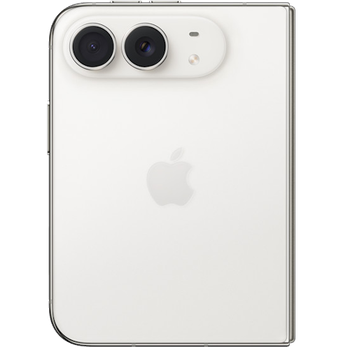
Güvenli buluta senkronizasyon için mevcut kılavuzlar
Desteklenen işlevler
- Kişiler senkronizasyonu
- Takvim senkronizasyonu
- fotoğraf senkronizasyonu
- video senkronizasyonu
- Otomatik senkronizasyon

kişiler, takvim, fotoğraflar ve videolar verilerinizi Apple Duo cihazından çevrimiçi bir depolama alanına ve geri aktararak güvende ve güncel tutun.
Apple Duo cihazını PhoneCopy desteklenmektedir.
Lütfen aşağıdaki ayarların ürün yazılımı sürümüne bağlı olarak biraz değişebileceğini unutmayın.
Talimat metni - Nasıl yedekleme yapılır
Apple Duo ile
Talimatlar henüz sizin konuşma dilinize çevrilmemiştir.
You can also use our detailed guides with screenshots: See how to transfer contacts from iPhone/iPad or how to transfer contacts to iPhone/iPad.
- Install PhoneCopy for iPhone / iPad from App Store.
- Launch it and follow the wizard that appears. Sign on if you already have a PhoneCopy account or register if you want to create a new one.
- Authorize access to contacts and then select sources (accounts) that you want to synchronize. Next authorize access to media and then select whether you want to synchronize photos and/or videos. If you do not allow PhoneCopy access to your media, only your contacts will by synchronized.
- If you already have media on your PhoneCopy account you can opt in to synchronize (download) them to this device.
- Finally tap on Synchronize to perform the complete synchronization.
If you need to synchronize calendar, see our guide on how to sync calendars with iOS devices.
Senkronizasyon esnasında herhangi bir problemle karşılaşırsanız Yardım İsteyin
Kullanıcı yorumları
- The iPhone application need not to be associated with profile as for other phones, all is automatic.
- The application for iPhone cannot synchronize SMS and notes, because the Apple does not allow application access to them.
- You can synchronize your calendars using CalDAV protocol.
Yorum yazmak için lütfen Giriş yapın
-
-
Hello,
if you want to restore deleted contact(s), you can check more than one (also, shift+click works), then restore them at once. If your contacts got overwritten with bad information, the only solution is to open contact one by one and pick the correct version to restore.-
Thanks for your answer. I can not find another way to see the old synchronizations than the list where check boxes are absent, and instead there's a plain list in which I can only pick a contacts one by one.
-
Checkboxes are present on contact view and deleted contact view pages. You can switch the view to show last modification column and sort by this column to easily target correct contacts.
-
-
-

Is it possible to substitute the contacts update during a given synchronization for the current contacts, using a single command, instead of restoring contacts one by one?
Thanks in advance! rokeboogie, 6.07.2020