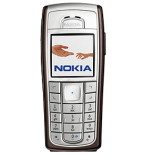
Kontakte sichern: Nokia 6230
Verfügbare Anleitungen für die Synchronisierung mit der sicheren Cloud
Unterstützte Funktionen
- Kontakt-Synchronisation

Übertragen Sie Ihre Kontakte von Nokia 6230 in einen Online-Speicher und zurück, um sie sicher und aktuell zu halten.
Nokia 6230 wird von PhoneCopy unterstützt.
Bitte beachten Sie, dass die folgenden Einstellungen je nach Firmware-Version leicht variieren können.
Bestätigte Modelle
Bestätigte Versionen
News
- 01.09.25
- Wir haben die PhoneCopy-App auf einem Nokia 6230-Telefon in Vereinigte Arabische Emirate erkannt. Alle Kontakte wurden gesichert.
Nokia 6230 Nutzer auf der ganzen Welt
Laut unseren Statistiken verwenden PhoneCopy-Benutzer Nokia 6230 für die Datensicherung in Ländern Vereinigte Arabische Emirate (Al-’Imārat Al-‘Arabiyyah Al-Muttaḥidah, الإمارات العربيّة المتّحدة) - 100.00%.
Auf der Karte
Die folgende Heatmap zeigt den Anteil der Benutzer weltweit, die ihr Nokia 6230 mit PhoneCopy synchronisieren.
Textanleitung - So sichern Sie Ihre Daten
Mit Nokia 6230
Die Richtlinie ist noch nicht in Ihre Sprache übersetzt worden.
- Press Menu and choose Organiser - Synchronisation - Settings.
- Select Select Active Internet sync settings., choose the profile you wish to activate and press Activate .
- Select Edit active Internet sync settings and configure given fields.
▼ hide fields
- Account name: PhoneCopy
- Settings' name: http://www.phonecopy.com/sync
- Data to be synchronised: Mark the data you wish to synchronise.
- Database addresses:
- Contacts database
- contacts
- Calendar database
- calendar
- Notes database
- notes
- User name: your_username
- Password: your_password
- Synchronization server: http://www.phonecopy.com/sync
- Press 2x Back and select Synchronise .
Und nun bitte weisen Sie Ihr Telefon Ihrem PhoneCopy-Konto zu.
Bei Problemen mit der Synchronisierung, bitte kontaktieren Sie uns.
