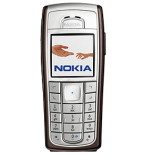
Realizar copia de seguridad de contactos desde Nokia 6230
Guías disponibles para la sincronización con la nube segura
Funciones compatibles
- sincronización de contactos

Transfiera sus contactos desde Nokia 6230 a un almacenamiento en línea y viceversa para mantenerlos seguros y actualizados.
Nokia 6230 es compatible con PhoneCopy.
Tenga en cuenta que la siguiente configuración puede variar ligeramente según la versión del firmware.
Modelos confirmados
Versiones confirmadas
Noticias
- 1/9/25
- Detectamos la aplicación PhoneCopy en un teléfono Nokia 6230 en Emiratos Árabes Unidos. Todos los contactos fueron respaldados.
usuarios de Nokia 6230 en todo el mundo
Según nuestras estadísticas, los usuarios de PhoneCopy utilizan Nokia 6230 para la copia de seguridad de datos en los países Emiratos Árabes Unidos (Al-’Imārat Al-‘Arabiyyah Al-Muttaḥidah, الإمارات العربيّة المتّحدة) - 100.00%.
En el mapa
El siguiente mapa de calor ilustra la proporción de usuarios de todo el mundo que sincronizan su Nokia 6230 utilizando PhoneCopy.
Guía de texto - Cómo hacer copias de seguridad
Con Nokia 6230
- Press Menu and choose Organiser - Synchronisation - Settings.
- Select Select Active Internet sync settings., choose the profile you wish to activate and press Activate .
- Select Edit active Internet sync settings and configure given fields.
▼ hide fields
- Account name: PhoneCopy
- Settings' name: http://www.phonecopy.com/sync
- Data to be synchronised: Mark the data you wish to synchronise.
- Database addresses:
- Contacts database
- contacts
- Calendar database
- calendar
- Notes database
- notes
- User name: your_username
- Password: your_password
- Synchronization server: http://www.phonecopy.com/sync
- Press 2x Back and select Synchronise .
Por favor, ahora asigne su teléfono a su cuenta PhoneCopy.
En el caso de problemas con la sincronización, contacte con nosotros.
