Nokia 6230 dan yedeklenen kişiler
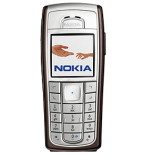
Güvenli buluta senkronizasyon için mevcut kılavuzlar
Desteklenen işlevler
- Kişiler senkronizasyonu

kişiler verilerinizi Nokia 6230 cihazından çevrimiçi bir depolama alanına ve geri aktararak güvende ve güncel tutun.
Nokia 6230 cihazını PhoneCopy desteklenmektedir.
Lütfen aşağıdaki ayarların ürün yazılımı sürümüne bağlı olarak biraz değişebileceğini unutmayın.
Onaylanan modeller
Onaylanan sürümler
Haberler
- 1.09.2025
- We detected PhoneCopy app on Nokia 6230 phone in Birleşik Arap Emirlikleri. All kişiler were backed up.
dünya genelindeki Nokia 6230 kullanıcıları
İstatistiklerimize göre, PhoneCopy kullanıcıları Nokia 6230 cihazını Birleşik Arap Emirlikleri (Al-’Imārat Al-‘Arabiyyah Al-Muttaḥidah, الإمارات العربيّة المتّحدة) - 100.00% ülkelerinde veri yedeklemesi için kullanmaktadır.
Haritada
Aşağıdaki ısı haritası, PhoneCopy kullanarak Nokia 6230 cihazlarını senkronize eden dünya genelindeki kullanıcılar arasındaki payı göstermektedir.
Talimat metni - Nasıl yedekleme yapılır
Nokia 6230 ile
- Press Menu and choose Organiser - Synchronisation - Settings.
- Select Select Active Internet sync settings., choose the profile you wish to activate and press Activate .
- Select Edit active Internet sync settings and configure given fields.
▼ hide fields
- Account name: PhoneCopy
- Settings' name: http://www.phonecopy.com/sync
- Data to be synchronised: Mark the data you wish to synchronise.
- Database addresses:
- Contacts database
- contacts
- Calendar database
- calendar
- Notes database
- notes
- User name: your_username
- Password: your_password
- Synchronization server: http://www.phonecopy.com/sync
- Press 2x Back and select Synchronise .
Ve lütfen şimdi, Telefonunuzu PhoneCopy hesabınıza atama işlemini yapınız
Senkronizasyon esnasında herhangi bir problemle karşılaşırsanız Yardım İsteyin
