Backup contacts from Nokia 6230
Available guides for synchronization to the secure cloud
Supported functions
- contact synchronization

Transfer your contacts from Nokia 6230 to an online storage and back to keep them safe and up to date.
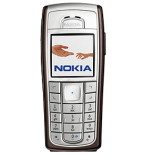
Nokia 6230 is supported on PhoneCopy.
Please note that following settings may vary a little depending on the firmware version.
Confirmed models
Confirmed versions
News
- 01/09/2025
- We detected PhoneCopy app on Nokia 6230 phone in United Arab Emirates. All contacts were backed up.
Nokia 6230 users around the world
According to our statistics, PhoneCopy users use Nokia 6230 for data backup in countries United Arab Emirates (Al-’Imārat Al-‘Arabiyyah Al-Muttaḥidah, الإمارات العربيّة المتّحدة) - 100.00%.
On the map
Following heat map illustrates share between users around the world synchronizing their Nokia 6230 using PhoneCopy.
Text guideline - How to backup
With Nokia 6230
- Press Menu and choose Organiser - Synchronisation - Settings.
- Select Select Active Internet sync settings., choose the profile you wish to activate and press Activate .
- Select Edit active Internet sync settings and configure given fields.
▼ hide fields
- Account name: PhoneCopy
- Settings' name: http://www.phonecopy.com/sync
- Data to be synchronised: Mark the data you wish to synchronise.
- Database addresses:
- Contacts database
- contacts
- Calendar database
- calendar
- Notes database
- notes
- User name: your_username
- Password: your_password
- Synchronization server: http://www.phonecopy.com/sync
- Press 2x Back and select Synchronise .
And now please, assign your phone to your PhoneCopy account.
In the case of problems with synchronization, please contact us.
