Backup contacts, photos, videos, sms messages and call logs from Samsung Galaxy A70 SM-A705F
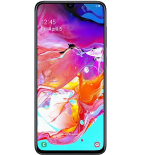
Available guides for synchronization to the secure cloud
Supported functions
- contact synchronization
- sms backup
- call log backup
- photo synchronization
- video synchronization
- automatic sync


Transfer your contacts, photos, videos, sms messages and call logs from Samsung Galaxy A70 SM-A705F to an online storage and back to keep them safe and up to date.
Samsung Galaxy A70 SM-A705F is supported on PhoneCopy.
Please note that following settings may vary a little depending on the firmware version.
Confirmed models
Confirmed versions
- Android 11
- Android 10
- Android 9.0 Pie
News
- 04/02/2024
- Even in Australia we have a user with Samsung Galaxy A70 SM-A705F phone. He backs up his contacts and call logs.
- 24/10/2023
- A new phone user has synchronized his contacts and sms messages to PhoneCopy from Indonesia.
- 15/04/2021
- We tested new Android 11 on Samsung Galaxy A70 SM-A705F with our PhoneCopy app and it's completely working.
- 13/11/2019
- Someone used PhoneCopy for backup of this phone model in Vietnam. His contacts were transferred.
- 25/10/2019
- This phone model was just synchronized by PhoneCopy user in Thailand. It transferred contacts.
Android versions running on Samsung Galaxy A70 SM-A705F
When synchronizing, PhoneCopy users had following Android versions on their Samsung Galaxy A70 SM-A705F: Android 11 (51.85%), Android 9.0 Pie (24.69%), Android 10 (23.46%).
Following chart shows contacts synchronisations with Samsung Galaxy A70 SM-A705F running different Android versions.
Samsung Galaxy A70 SM-A705F users around the world
Samsung Galaxy A70 SM-A705F is preffered for contact backup by PhoneCopy users in several countries around the world - Thailand (Thai, Prathet Thai, Ratcha-anachak Thai, ไทย, ประเทศไทย, ราชอาณาจักรไทย) - 80.00%, Indonesia - 15.71%, Vietnam (Việt Nam) - 2.86%, Australia - 1.43%.
Following heat map shows contacts synchronisations with Samsung Galaxy A70 SM-A705F using PhoneCopy across the globe.
Text guideline - How to backup
With Samsung Galaxy A70 SM-A705F
- Download our PhoneCopy for Android application to your mobile device.
- After launching the application, create a new account from the application. If you have already created an account on web pages www.phonecopy.com, log in to this existing account in the application.
- After successful login, go through the application setup wizard and then select Synchronize (for an account with an existing backup) / Backup (for an empty account) or press the Later button and then select option in the side menu Back up contacts / Restore contacts for one-way synchronization.
For more information about our app, visit our PhoneCopy for Android page.
In the case of problems with synchronization, please contact us.
User comments
To leave a comment please sign in.
-
-
Hello, 96,486 is really big count of SMS. It is possible that the processing of such a number of items takes a long time and it is possible that server terminate the communication due to a long time without response from the device.
We are curently working on optimalization of application, which may solve issue like yours. We will release new version of app asap, within a few days at the latest. We will contact you. Please, be patient.
Thank you-
Hello,
we developed a promised new beta version (3.4.3) of app. This optimized version should solve your reported issue. Please, download and install new version and try to sync again with it.
I recommend, plug in charger during sync, because sync of big count of items take long time and it is possible that Android system will try to limit the app due to battery life.
Download link: https://www.phonecopy.com/android/download/phonecopy.apk
Please, send us feedback, if it works now or not.
Thank you for your patience and cooperation.
-
-

My phone has 96,486 SMS that has to be backed up but the process keeps terminating due to "internet connection lost". My fiber internet access is quite stable so I don't think disruption is the cause. Is there a way I can back up the sms in parts? mebacal1960, 19/10/2020