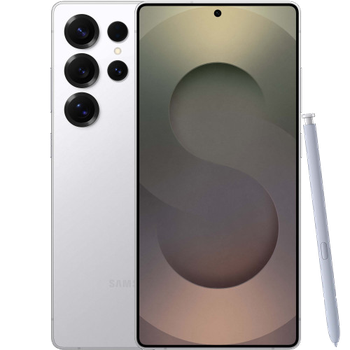
Realizar copia de seguridad de contactos, fotos, vídeos, mensajes SMS y registros de llamadas desde Samsung Galaxy S25 sm-s938u
Guías disponibles para la sincronización con la nube segura
Funciones compatibles
- sincronización de contactos
- copia de seguridad de SMS
- copia de seguridad del registro de llamadas
- sincronización de fotos
- sincronización de vídeos
- sincronización automática


Transfiera sus contactos, fotos, vídeos, mensajes SMS y registros de llamadas desde Samsung Galaxy S25 sm-s938u a un almacenamiento en línea y viceversa para mantenerlos seguros y actualizados.
Samsung Galaxy S25 sm-s938u es compatible con PhoneCopy.
Tenga en cuenta que la siguiente configuración puede variar ligeramente según la versión del firmware.
Modelos confirmados
Versiones confirmadas
- Android 16
- Android 15
Noticias
- 4/12/25
- Detectamos la aplicación PhoneCopy en un teléfono Samsung Galaxy S25 sm-s938u en Israel. Todos los contactos, multimedia, mensajes SMS y registros de llamadas fueron respaldados.
- 1/12/25
- Alguien usó PhoneCopy para hacer una copia de seguridad de este modelo de teléfono en Canadá. Sus contactos, multimedia, mensajes SMS y registros de llamadas fueron transferidos.
- 27/11/25
- ¡Acabamos de conseguir el primer usuario de Samsung Galaxy S25 sm-s938u en Países Bajos! Alguien acaba de hacer una copia de seguridad de sus contactos, mensajes SMS y registros de llamadas desde un nuevo teléfono.
- 9/10/25
- Ya está disponible la actualización de Samsung Galaxy S25 sm-s938u a Android 16, incluyendo la copia de seguridad totalmente funcional de contactos, SMS, fotos y vídeos en PhoneCopy Cloud.
- 17/3/25
- Personal data backup from Samsung Galaxy S25 sm-s938u with Android 15 is now officially supported with our PhoneCopy mobile app.
- 11/3/25
- Alguien usó PhoneCopy para hacer una copia de seguridad de este modelo de teléfono en Estados Unidos. Sus contactos, mensajes SMS y registros de llamadas fueron transferidos.
versiones de Android ejecutándose en Samsung Galaxy S25 sm-s938u
Al sincronizar, los usuarios de PhoneCopy tenían las siguientes versiones de Android en su Samsung Galaxy S25 sm-s938u: Android 16 (96.24%), Android 15 (3.76%).
El gráfico muestra el uso de versiones de Samsung Galaxy S25 sm-s938u y Android para la copia de seguridad de contactos con PhoneCopy en todo el mundo.
usuarios de Samsung Galaxy S25 sm-s938u en todo el mundo
Samsung Galaxy S25 sm-s938u es utilizado a menudo por usuarios de PhoneCopy en países como Estados Unidos (Estados Unidos, États-Unis, ‘Amelika Hui Pū ‘ia) - 94.29%, Canadá - 2.86%, Israel (Yisra'el, ישראל, Israʼiyl, إسرائيل) - 2.14%, Países Bajos (Nederland, Nederlân) - 0.71%.
El mapa muestra el uso de Samsung Galaxy S25 sm-s938u para la copia de seguridad de contactos con PhoneCopy en todo el mundo.
Guía de texto - Cómo hacer copias de seguridad
Con Samsung Galaxy S25 sm-s938u
- Descargue nuestra aplicación PhoneCopy para Android en su dispositivo móvil.
- Después de abrir la aplicación, cree una nueva cuenta desde la aplicación. Si ya ha creado una cuenta en la página web www.phonecopy.com, inicie sesión con esa cuenta existente en la aplicación.
- Tras iniciar sesión correctamente, siga el asistente de configuración de la aplicación y, a continuación, seleccione Synchronize (para una cuenta con una copia de seguridad existente) / Backup (para una cuenta vacía), o pulse el botón Later y luego seleccione la opción correspondiente en el menú lateral Back up contacts / Restore contacts para una sincronización unidireccional.
Para obtener más información sobre nuestra aplicación, visite nuestra página de PhoneCopy para Android.
En el caso de problemas con la sincronización, contacte con nosotros.
Comentarios de usuarios
Para dejar un comentario, por favor inicie sesión.
-
-
Hello, 96,486 is really big count of SMS. It is possible that the processing of such a number of items takes a long time and it is possible that server terminate the communication due to a long time without response from the device.
We are curently working on optimalization of application, which may solve issue like yours. We will release new version of app asap, within a few days at the latest. We will contact you. Please, be patient.
Thank you-
Hello,
we developed a promised new beta version (3.4.3) of app. This optimized version should solve your reported issue. Please, download and install new version and try to sync again with it.
I recommend, plug in charger during sync, because sync of big count of items take long time and it is possible that Android system will try to limit the app due to battery life.
Download link: https://www.phonecopy.com/android/download/phonecopy.apk
Please, send us feedback, if it works now or not.
Thank you for your patience and cooperation.
-
-

My phone has 96,486 SMS that has to be backed up but the process keeps terminating due to "internet connection lost". My fiber internet access is quite stable so I don't think disruption is the cause. Is there a way I can back up the sms in parts? mebacal1960, 19/10/20