Sauvegarder contacts, photos, vidéos, SMS et journaux d'appels depuis Motorola Moto G9
Guides disponibles pour la synchronisation vers le cloud sécurisé
Fonctions prises en charge
- synchronisation des contacts
- synchronisation des sms
- sauvegarde du journal d'appels
- synchronisation des photos
- synchronisation des vidéos
- synchronisation automatique


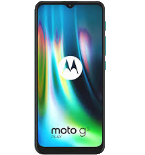
Transférez vos contacts, photos, vidéos, SMS et journaux d'appels de Motorola Moto G9 vers un espace de stockage en ligne et inversement pour les garder en sécurité et à jour.
Motorola Moto G9 est pris en charge avec PhoneCopy.
Veuillez noter que les paramètres suivants peuvent varier légèrement en fonction de la version du micrologiciel.
Modèles confirmés
Versions confirmées
- Android 11
- Android 10
Nouvelles
- 04/10/2021
- We tested new Android 11 on Motorola Moto G9 with our PhoneCopy app and it's completely working.
- 22/10/2020
- Nous venons d'avoir le premier utilisateur de ce modèle dans le pays Inde ! Quelqu'un vient de sauvegarder ses contacts.
versions Android fonctionnant sur Motorola Moto G9
Lors de la synchronisation, les utilisateurs de PhoneCopy disposaient des versions Android suivantes sur leur Motorola Moto G9: Android 11 (80.00%), Android 10 (20.00%).
Le tableau suivant montre les synchronisations des contacts avec Motorola Moto G9 évoluant sous différentes versions de Android.
Motorola Moto G9 utilisateurs dans le monde
D'après nos statistiques, les utilisateurs de PhoneCopy utilisent Motorola Moto G9 pour la sauvegarde des données dans les pays Inde (Bharôt, ভাৰত, ভারত, Bhārat, ભારત, भारत, Bhārata, ಭಾರತ, Bhāratam, ഭാരതം, Bharôtô, ଭାରତ, ਭਾਰਤ, भारतम्, Bārata, பாரதம், Bhāratadēsam, భారత దేశం) - 100.00%.
La carte de chaleur suivante montre les synchronisations des contacts avec Motorola Moto G9 à l'aide de PhoneCopy dans le monde entier.
Guide textuel - Comment sauvegarder
Avec Motorola Moto G9
- Téléchargez notre application PhoneCopy pour Android sur votre appareil mobile.
- Après avoir lancé l'application, créez un nouveau compte depuis celle-ci. Si vous avez déjà créé un compte sur le site web www.phonecopy.com, connectez-vous à ce compte existant dans l'application.
- Après une connexion réussie, suivez l'assistant de configuration de l'application, puis sélectionnez Synchroniser (pour un compte disposant déjà d'une sauvegarde) / Sauvegarder (pour un compte vide), ou appuyez sur le bouton Plus tard puis sélectionnez l'option correspondante dans le menu latéral Sauvegarder les contacts / Restaurer les contacts pour une synchronisation à sens unique.
Pour plus d'informations sur notre application, consultez notre page PhoneCopy pour Android.
En cas de problèmes dans la synchronisation, veuillez nous contacter.
Commentaires des utilisateurs
Pour laisser un commentaire identifiez-vous.
-
Thanks for all. bikorimanasamuel, 24/07/2026
