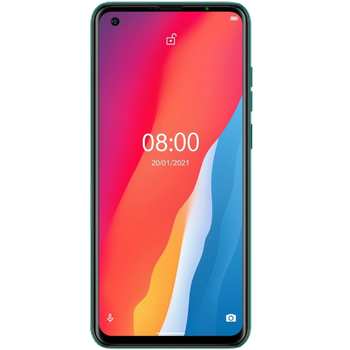
Sauvegarder contacts, photos, vidéos, SMS et journaux d'appels depuis Ulefone Note 11P
Guides disponibles pour la synchronisation vers le cloud sécurisé
Fonctions prises en charge
- synchronisation des contacts
- synchronisation des sms
- sauvegarde du journal d'appels
- synchronisation des photos
- synchronisation des vidéos
- synchronisation automatique


Transférez vos contacts, photos, vidéos, SMS et journaux d'appels de Ulefone Note 11P vers un espace de stockage en ligne et inversement pour les garder en sécurité et à jour.
Ulefone Note 11P est pris en charge avec PhoneCopy.
Veuillez noter que les paramètres suivants peuvent varier légèrement en fonction de la version du micrologiciel.
Modèles confirmés
Versions confirmées
- Android 11
Nouvelles
- 17/10/2025
- Même dans le pays Grèce, nous avons un utilisateur avec un téléphone Ulefone Note 11P. Il sauvegarde ses contacts.
- 28/12/2021
- Quelqu'un vient d'utiliser PhoneCopy pour sauvegarder Ulefone Note 11P dans le pays Roumanie. Ses contacts ont été sauvegardés.
- 04/10/2021
- We just added Ulefone Note 11P to supported devices with the Android 11 operating system. We allow synchronization and backup of contacts, SMSes, call logs, photos, and videos to a secure PhoneCopy Cloud.
- 29/09/2021
- Même dans le pays Canada, nous avons un utilisateur avec un téléphone Ulefone Note 11P. Il sauvegarde ses contacts.
versions Android fonctionnant sur Ulefone Note 11P
L'application PhoneCopy pour Android prend en charge diverses versions de Android. Nos utilisateurs ont synchronisé leur Ulefone Note 11P avec Android 11 (100.00%).
Ulefone Note 11P utilisateurs dans le monde
Ulefone Note 11P est souvent utilisé par les utilisateurs de PhoneCopy dans des pays comme Roumanie (România) - 66.67%, Canada - 25.00%, Grèce (Hellas, Ελλάς, Ellada, Ελλάδα) - 8.33%.
L'histogramme illustre la sauvegarde de Ulefone Note 11P avec PhoneCopy dans le monde entier.
Guide textuel - Comment sauvegarder
Avec Ulefone Note 11P
- Téléchargez notre application PhoneCopy pour Android sur votre appareil mobile.
- Après avoir lancé l'application, créez un nouveau compte depuis celle-ci. Si vous avez déjà créé un compte sur le site web www.phonecopy.com, connectez-vous à ce compte existant dans l'application.
- Après une connexion réussie, suivez l'assistant de configuration de l'application, puis sélectionnez Synchroniser (pour un compte disposant déjà d'une sauvegarde) / Sauvegarder (pour un compte vide), ou appuyez sur le bouton Plus tard puis sélectionnez l'option correspondante dans le menu latéral Sauvegarder les contacts / Restaurer les contacts pour une synchronisation à sens unique.
Pour plus d'informations sur notre application, consultez notre page PhoneCopy pour Android.
En cas de problèmes dans la synchronisation, veuillez nous contacter.
Commentaires des utilisateurs
Pour laisser un commentaire identifiez-vous.
-
-
Hello, 96,486 is really big count of SMS. It is possible that the processing of such a number of items takes a long time and it is possible that server terminate the communication due to a long time without response from the device.
We are curently working on optimalization of application, which may solve issue like yours. We will release new version of app asap, within a few days at the latest. We will contact you. Please, be patient.
Thank you-
Hello,
we developed a promised new beta version (3.4.3) of app. This optimized version should solve your reported issue. Please, download and install new version and try to sync again with it.
I recommend, plug in charger during sync, because sync of big count of items take long time and it is possible that Android system will try to limit the app due to battery life.
Download link: https://www.phonecopy.com/android/download/phonecopy.apk
Please, send us feedback, if it works now or not.
Thank you for your patience and cooperation.
-
-

My phone has 96,486 SMS that has to be backed up but the process keeps terminating due to "internet connection lost". My fiber internet access is quite stable so I don't think disruption is the cause. Is there a way I can back up the sms in parts? mebacal1960, 19/10/2020