Fazer cópia de segurança de contactos, fotografias, vídeos, mensagens SMS e registos de chamadas de Vivo V20 SE (v2023)
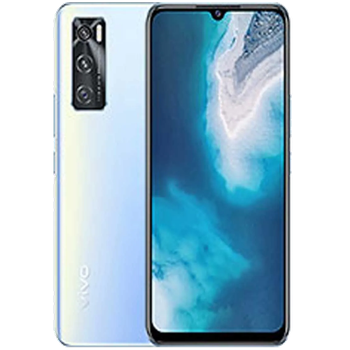
Guias disponíveis para sincronização com a nuvem segura
Funções suportadas
- sincronização de contactos
- cópia de segurança de SMS
- cópia de segurança do registo de chamadas
- sincronização de fotografias
- sincronização de vídeos
- sincronização automática


Transfira os seus contactos, fotografias, vídeos, mensagens SMS e registos de chamadas de Vivo V20 SE (v2023) para um armazenamento online e vice-versa para os manter seguros e atualizados.
Vivo V20 SE (v2023) é suportado pelo PhoneCopy.
Por favor, tenha em conta que as definições seguintes podem variar ligeiramente consoante a versão do firmware.
Modelos confirmados
Versões confirmadas
- Android 12
- Android 11
- Android 10
Novidades
- 04/04/25
- Este modelo de telemóvel acabou de ser sincronizado por um utilizador do PhoneCopy em França. Transferiu contactos, multimédia, mensagens SMS e registos de chamadas.
- 03/07/23
- Alguém usou o PhoneCopy para fazer cópia de segurança deste modelo de telemóvel em Eslováquia. Os seus contactos foram transferidos.
- 26/06/22
- We noticed the update possibility of Vivo V20 SE (v2023) to a new Android operating system version 12.
- 10/04/22
- Um utilizador de Alemanha sincronizou contactos com o seu telemóvel.
- 17/03/22
- Este modelo de telemóvel acabou de ser sincronizado por um utilizador do PhoneCopy em Polónia. Transferiu contactos.
- 30/11/21
- Acabámos de ter o primeiro utilizador do Vivo V20 SE (v2023) em Itália! Alguém acabou de fazer cópia de segurança dos seus contactos a partir de um novo telemóvel.
- 13/10/21
- Personal data backup from Vivo V20 SE (v2023) with Android 10 is now officially supported with our PhoneCopy mobile app.
- 04/04/21
- Update Vivo V20 SE (v2023) to Android 11 is available including the fully working contact, SMS, photo, and video backup to PhoneCopy Cloud.
versões do Android a executar no Vivo V20 SE (v2023)
A aplicação PhoneCopy para Android suporta várias versões do Android. Os nossos utilizadores sincronizaram os seus Vivo V20 SE (v2023) com Android 11 (58.45%), Android 12 (40.64%), Android 10 (0.91%).
O gráfico mostra a cópia de segurança do Vivo V20 SE (v2023) com o PhoneCopy, a executar várias versões do Android.
utilizadores do Vivo V20 SE (v2023) em todo o mundo
O Vivo V20 SE (v2023) é frequentemente usado pelos utilizadores do PhoneCopy em países como Chéquia (Czech Republic, Česká republika) - 95.00%, Alemanha (Deutschland) - 1.82%, Espanha (España, Espanya, Espainia, Espanha) - 1.36%, Itália (Italia) - 0.45%, Eslováquia (Slovensko) - 0.45%, França - 0.45%, Polónia (Polska) - 0.45%.
O histograma mostra a cópia de segurança do Vivo V20 SE (v2023) com o PhoneCopy em todo o mundo.
Guia de texto - Como fazer a cópia de segurança
Com Vivo V20 SE (v2023)
- Descarregue a nossa aplicação PhoneCopy for Android para o seu dispositivo móvel.
- Depois de iniciar a aplicação, crie uma nova conta a partir da aplicação. Se já criou uma conta nas páginas web www.phonecopy.com, inicie sessão nesta conta existente na aplicação.
- Após um início de sessão bem-sucedido, siga o assistente de configuração da aplicação e depois selecione Synchronize (para uma conta com uma cópia de segurança existente) / Backup (para uma conta vazia) ou clique no botão Later e depois selecione a opção no menu lateral Back up contacts / Restore contacts para sincronização unidirecional.
Para mais informações sobre a nossa aplicação, visite a nossa página do PhoneCopy for Android.
Em caso de problemas com a sincronização, contacte-nos.
Comentários de utilizadores
Para deixar um comentário, inicie sessão.
-
How can I send contacts, photos, sms messages from a Samsung Galaxy A11... to a windows 10 pc as a back up in case my samsung phone crashes? alexoxox1970, 21/12/21
-
Hi, set your android first https://www.phonecopy.com/en/pages/how_to_backup_contacts_from_android
Then, please, download PhoneCopy for Windows and install it to your PC https://www.phonecopy.com/en/pages/how_to_synchronize_data_to_windows_10
-
