Backup контакты, photos, videos, sms messages and call logs from Motorola Edge 5G UW (2021)
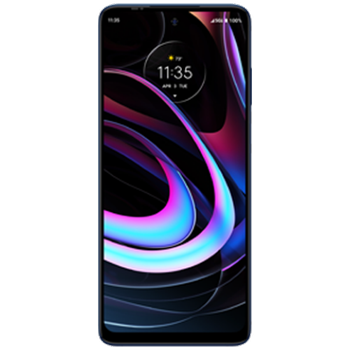
Available guides for synchronization to the secure cloud
Supported functions
- contact synchronization
- sms backup
- call log backup
- photo synchronization
- video synchronization
- automatic sync


Transfer your контакты, photos, videos, sms messages and call logs from Motorola Edge 5G UW (2021) to an online storage and back to keep them safe and up to date.
Motorola Edge 5G UW (2021) is supported on PhoneCopy.
Please note that following settings may vary a little depending on the firmware version.
Confirmed models
Confirmed versions
- Android 13
- Android 12
- Android 11
News
- 12.10.2023
- Update Motorola Edge 5G UW (2021) to Android 13 is available including the fully working contact, SMS, photo, and video backup to PhoneCopy Cloud.
- 08.09.2022
- Update Motorola Edge 5G UW (2021) to Android 12 is available including the fully working contact, SMS, photo, and video backup to PhoneCopy Cloud.
- 01.08.2022
- We added Motorola Edge 5G UW (2021) to supported devices with Android 11.
- 30.07.2022
- We just got first user of this model in United States! Someone just backed up his контакты and sms messages.
Android versions running on Motorola Edge 5G UW (2021)
PhoneCopy for Android app supports various Android versions. Our users synchronized their Motorola Edge 5G UW (2021) running Android 12 (58.93%), Android 11 (23.81%), Android 13 (17.26%).
The chart depicts Motorola Edge 5G UW (2021) backup with PhoneCopy, running on various versions of Android.
Motorola Edge 5G UW (2021) users around the world
Motorola Edge 5G UW (2021) is often used by PhoneCopy users in countries like United States (Estados Unidos, États-Unis, ‘Amelika Hui Pū ‘ia) - 100.00%.
Histogram depicts Motorola Edge 5G UW (2021) backup with PhoneCopy around the world.
Text guideline - How to backup
With Motorola Edge 5G UW (2021)
- Скачайте приложение PhoneCopy для Android
- После запуска приложения, войдите в свой аккаунт или создайте новую учетную запись.
- Выполните синхронизацию при помощи приложения. Синхронизированные контакты можно просмотреть на сайте www.phonecopy.com.
In the case of problems with synchronization, please contact us.
Комментарии пользователей
To leave a comment please sign in.
-
-
Hello, 96,486 is really big count of SMS. It is possible that the processing of such a number of items takes a long time and it is possible that server terminate the communication due to a long time without response from the device.
We are curently working on optimalization of application, which may solve issue like yours. We will release new version of app asap, within a few days at the latest. We will contact you. Please, be patient.
Thank you-
Hello,
we developed a promised new beta version (3.4.3) of app. This optimized version should solve your reported issue. Please, download and install new version and try to sync again with it.
I recommend, plug in charger during sync, because sync of big count of items take long time and it is possible that Android system will try to limit the app due to battery life.
Download link: https://www.phonecopy.com/android/download/phonecopy.apk
Please, send us feedback, if it works now or not.
Thank you for your patience and cooperation.
-
-

My phone has 96,486 SMS that has to be backed up but the process keeps terminating due to "internet connection lost". My fiber internet access is quite stable so I don't think disruption is the cause. Is there a way I can back up the sms in parts? mebacal1960, 19.10.2020