Samsung Galaxy A17 5G SM-A176b dan yedeklenen kişiler, fotoğraflar, videolar, sms mesajları ve arama günlükleri
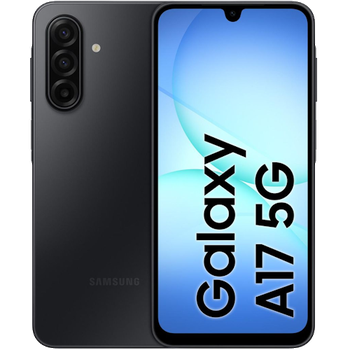
Güvenli buluta senkronizasyon için mevcut kılavuzlar
Desteklenen işlevler
- Kişiler senkronizasyonu
- SMS yedeklemesi
- arama günlüğü yedeklemesi
- fotoğraf senkronizasyonu
- video senkronizasyonu
- Otomatik senkronizasyon


kişiler, fotoğraflar, videolar, sms mesajları ve arama günlükleri verilerinizi Samsung Galaxy A17 5G SM-A176b cihazından çevrimiçi bir depolama alanına ve geri aktararak güvende ve güncel tutun.
Samsung Galaxy A17 5G SM-A176b cihazını PhoneCopy desteklenmektedir.
Lütfen aşağıdaki ayarların ürün yazılımı sürümüne bağlı olarak biraz değişebileceğini unutmayın.
Onaylanan modeller
Onaylanan sürümler
- Android 16
- Android 15
Haberler
- 31.07.2026
- We just got first user of this model in Fransa! Someone just backed up his kişiler.
- 22.07.2026
- We just got first user of this model in Almanya! Someone just backed up his kişiler.
- 18.04.2026
- We just got first user of Samsung Galaxy A17 5G SM-A176b in Malezya! Someone just backed up his kişiler ve medya from a new phone.
- 5.02.2026
- Someone just used PhoneCopy for backup of Samsung Galaxy A17 5G SM-A176b in country Norveç. His kişiler were backed up.
- 2.02.2026
- Recently we got new user of Samsung Galaxy A17 5G SM-A176b also in Bulgaristan. He is using PhoneCopy for backup of kişiler.
- 22.12.2025
- Personal data backup from Samsung Galaxy A17 5G SM-A176b with Android 15 is now officially supported with our PhoneCopy mobile app.
- We tested the functionality of the PhoneCopy app on Samsung Galaxy A17 5G SM-A176b device after the Android 16 update.
Samsung Galaxy A17 5G SM-A176b üzerinde çalışan Android sürümleri
Senkronizasyon sırasında, PhoneCopy kullanıcılarının Samsung Galaxy A17 5G SM-A176b cihazlarında şu Android sürümleri vardı: Android 16 (95.83%), Android 15 (4.17%).
Aşağıdaki grafik, farklı Android sürümlerini çalıştıran Samsung Galaxy A17 5G SM-A176b ile kişi senkronizasyonlarını göstermektedir.
dünya genelindeki Samsung Galaxy A17 5G SM-A176b kullanıcıları
Samsung Galaxy A17 5G SM-A176b, dünya genelindeki birçok ülkede PhoneCopy kullanıcıları tarafından kişi yedeklemesi için tercih edilmektedir - Çekya (Czech Republic, Česká republika) - 47.83%, Fransa - 17.39%, Etiyopya (Ityop'ia, ኢትዮጵያ) - 8.70%, Norveç (Norge, Noreg) - 8.70%, Malezya (Mǎláixīyà, 马来西亚, Malēṣiyā, மலேசியா) - 8.70%, Bulgaristan (Bulgariya, Bălgarija, България) - 4.35%, Almanya (Deutschland) - 4.35%.
Aşağıdaki ısı haritası, dünya genelinde PhoneCopy kullanarak Samsung Galaxy A17 5G SM-A176b ile yapılan kişi senkronizasyonlarını göstermektedir.
Talimat metni - Nasıl yedekleme yapılır
Samsung Galaxy A17 5G SM-A176b ile
- Download our PhoneCopy for Android application to your mobile device.
- After launching the application, create a new account from the application. If you have already created an account on web pages www.phonecopy.com, log in to this existing account in the application.
- After successful login, go through the application setup wizard and then select Synchronize (for an account with an existing backup) / Backup (for an empty account) or press the Later button and then select option in the side menu Back up contacts / Restore contacts for one-way synchronization.
For more information about our app, visit our PhoneCopy for Android page.
Senkronizasyon esnasında herhangi bir problemle karşılaşırsanız Yardım İsteyin
Kullanıcı yorumları
Yorum yazmak için lütfen Giriş yapın
-
Advan ita66051, 15.08.2026
