Samsung Galaxy A80 SM-A805f dan yedeklenen kişiler, fotoğraflar, videolar, sms mesajları ve arama günlükleri
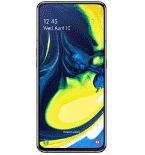
Güvenli buluta senkronizasyon için mevcut kılavuzlar
Desteklenen işlevler
- Kişiler senkronizasyonu
- SMS yedeklemesi
- arama günlüğü yedeklemesi
- fotoğraf senkronizasyonu
- video senkronizasyonu
- Otomatik senkronizasyon


kişiler, fotoğraflar, videolar, sms mesajları ve arama günlükleri verilerinizi Samsung Galaxy A80 SM-A805f cihazından çevrimiçi bir depolama alanına ve geri aktararak güvende ve güncel tutun.
Samsung Galaxy A80 SM-A805f cihazını PhoneCopy desteklenmektedir.
Lütfen aşağıdaki ayarların ürün yazılımı sürümüne bağlı olarak biraz değişebileceğini unutmayın.
Onaylanan modeller
Onaylanan sürümler
- Android 11
- Android 10
- Android 9.0 Pie
Haberler
- 29.08.2026
- Samsung Galaxy A80 SM-A805f telefonu, Macaristan ülkesindeki bir PhoneCopy kullanıcısı tarafından senkronize edildi. kişiler ve medya verileri aktarıldı.
- 3.12.2025
- Yeni bir telefon kullanıcısı, kişiler verilerini Kenya ülkesinden PhoneCopy'ye senkronize etti.
- 31.10.2023
- Endonezya ülkesinde bile Samsung Galaxy A80 SM-A805f telefonuna sahip bir kullanıcımız var. kişiler verilerini yedekliyor.
- 14.07.2023
- Birisi Mısır ülkesinde bu telefon modelinin yedeklemesi için PhoneCopy'yi kullandı. kişiler verileri aktarıldı.
- 10.06.2023
- Birleşik Arap Emirlikleri ülkesinde bu modelin ilk kullanıcısına az önce ulaştık! Birisi az önce kişiler verilerini yedekledi.
- 5.04.2021
- PhoneCopy app is fully supported on Samsung Galaxy A80 SM-A805f with Android version 11.
Samsung Galaxy A80 SM-A805f üzerinde çalışan Android sürümleri
PhoneCopy for Android uygulaması çeşitli Android sürümlerini desteklemektedir. Kullanıcılarımız Android 10 (58.13%), Android 11 (31.03%), Android 9.0 Pie (10.84%) çalıştıran Samsung Galaxy A80 SM-A805f cihazlarını senkronize etti.
Aşağıdaki pasta grafiği, PhoneCopy ile senkronize edilirken Samsung Galaxy A80 SM-A805f üzerindeki Android sürümleri arasındaki payı göstermektedir.
dünya genelindeki Samsung Galaxy A80 SM-A805f kullanıcıları
Samsung Galaxy A80 SM-A805f, PhoneCopy kullanıcıları tarafından Almanya (Deutschland) - 41.61%, İsveç (Sverige) - 24.22%, Endonezya - 17.39%, Bulgaristan (Bulgariya, Bălgarija, България) - 4.35%, Çekya (Czech Republic, Česká republika) - 3.73%, İngiltere (Y Deyrnas Unedig, Unitit Kinrick, Rìoghachd Aonaichte, Ríocht Aontaithe, An Rywvaneth Unys) - 2.48%, Fransa - 1.24%, Mısır (Misr, Masr, مصر) - 0.62%, Birleşik Arap Emirlikleri (Al-’Imārat Al-‘Arabiyyah Al-Muttaḥidah, الإمارات العربيّة المتّحدة) - 0.62%, Afganistan (Afghanestan, افغانستان) - 0.62% gibi ülkelerde ve 5 başka ülkede sıklıkla kullanılmaktadır.
Aşağıdaki ısı haritası, PhoneCopy kullanarak Samsung Galaxy A80 SM-A805f cihazlarını senkronize eden dünya genelindeki kullanıcılar arasındaki payı göstermektedir.
Talimat metni - Nasıl yedekleme yapılır
Samsung Galaxy A80 SM-A805f ile
- PhoneCopy for Android uygulamamızı mobil cihazınıza indirin.
- Uygulamayı başlattıktan sonra, uygulama üzerinden yeni bir hesap oluşturun. www.phonecopy.com web sayfalarında zaten bir hesap oluşturduysanız, bu mevcut hesapla uygulamada giriş yapın.
- Başarılı bir girişten sonra, uygulamanın kurulum sihirbazını takip edin ve ardından (mevcut bir yedeği olan hesaplar için) Synchronize / (boş bir hesap için) Backup öğesini seçin veya Later düğmesine basıp tek yönlü senkronizasyon için yan menüden Back up contacts / Restore contacts seçeneğini belirleyin.
Uygulamamız hakkında daha fazla bilgi için, PhoneCopy for Android sayfamızı.
Senkronizasyon esnasında herhangi bir problemle karşılaşırsanız Yardım İsteyin
Kullanıcı yorumları
Yorum yazmak için lütfen Giriş yapın
-
Need ntuenabraham2, 9.09.2026
