Realizar copia de seguridad de contactos, fotos, vídeos, mensajes SMS y registros de llamadas desde Honor Magic 4 Pro 5G (LGE-NX9)
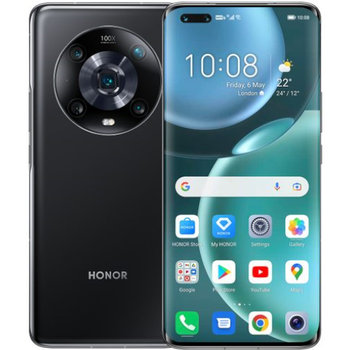
Guías disponibles para la sincronización con la nube segura
Funciones compatibles
- sincronización de contactos
- copia de seguridad de SMS
- copia de seguridad del registro de llamadas
- sincronización de fotos
- sincronización de vídeos
- sincronización automática


Transfiera sus contactos, fotos, vídeos, mensajes SMS y registros de llamadas desde Honor Magic 4 Pro 5G (LGE-NX9) a un almacenamiento en línea y viceversa para mantenerlos seguros y actualizados.
Honor Magic 4 Pro 5G (LGE-NX9) es compatible con PhoneCopy.
Tenga en cuenta que la siguiente configuración puede variar ligeramente según la versión del firmware.
Modelos confirmados
Versiones confirmadas
- Android 15
- Android 13
- Android 12
Noticias
- 25/11/25
- We freshly support Honor Magic 4 Pro 5G (LGE-NX9) with Android 15 OS for photo, video, SMS, call log and contact backup.
- 24/11/25
- Un teléfono Honor Magic 4 Pro 5G (LGE-NX9) fue sincronizado por un usuario de PhoneCopy en Italia. Sus contactos fueron transferidos.
- 29/3/24
- Alguien usó PhoneCopy para hacer una copia de seguridad de este modelo de teléfono en Israel. Sus contactos, mensajes SMS y registros de llamadas fueron transferidos.
- 6/8/23
- Personal data backup from Honor Magic 4 Pro 5G (LGE-NX9) with Android 12 is now officially supported with our PhoneCopy mobile app.
- We noticed the update possibility of Honor Magic 4 Pro 5G (LGE-NX9) to a new Android operating system version 13.
versiones de Android ejecutándose en Honor Magic 4 Pro 5G (LGE-NX9)
La aplicación PhoneCopy para Android es compatible con varias versiones de Android. Nuestros usuarios sincronizaron su Honor Magic 4 Pro 5G (LGE-NX9) con Android 12 (33.33%), Android 13 (33.33%), Android 15 (33.33%).
El siguiente gráfico circular ilustra la proporción entre las versiones de Android en Honor Magic 4 Pro 5G (LGE-NX9) al sincronizar con PhoneCopy.
usuarios de Honor Magic 4 Pro 5G (LGE-NX9) en todo el mundo
Honor Magic 4 Pro 5G (LGE-NX9) es preferido para la copia de seguridad de contactos por usuarios de PhoneCopy en varios países del mundo - Israel (Yisra'el, ישראל, Israʼiyl, إسرائيل) - 50.00%, Italia (Italia) - 50.00%.
El siguiente mapa de calor ilustra la proporción de usuarios de todo el mundo que sincronizan su Honor Magic 4 Pro 5G (LGE-NX9) utilizando PhoneCopy.
Guía de texto - Cómo hacer copias de seguridad
Con Honor Magic 4 Pro 5G (LGE-NX9)
- Descargue nuestra aplicación PhoneCopy para Android en su dispositivo móvil.
- Después de abrir la aplicación, cree una nueva cuenta desde la aplicación. Si ya ha creado una cuenta en la página web www.phonecopy.com, inicie sesión con esa cuenta existente en la aplicación.
- Tras iniciar sesión correctamente, siga el asistente de configuración de la aplicación y, a continuación, seleccione Synchronize (para una cuenta con una copia de seguridad existente) / Backup (para una cuenta vacía), o pulse el botón Later y luego seleccione la opción correspondiente en el menú lateral Back up contacts / Restore contacts para una sincronización unidireccional.
Para obtener más información sobre nuestra aplicación, visite nuestra página de PhoneCopy para Android.
En el caso de problemas con la sincronización, contacte con nosotros.
Comentarios de usuarios
Para dejar un comentario, por favor inicie sesión.
-
For some strange reason, app cannot access phone contacts stored on device - after granting proper permission it will show 0 contacts. Checked with other contact app, and they can be accessed. Android 11 (Lineage OS 18.1), Sony Xperia ZX 1 Compact gladykov, 3/1/22
-
Answered via private email.
-
Nuruseyd842@gmail.com
-
-
