Sauvegarder contacts et calendrier depuis Motorola RAZR V3R
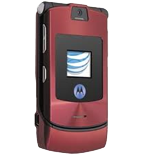
Guides disponibles pour la synchronisation vers le cloud sécurisé
Fonctions prises en charge
- synchronisation des contacts
- synchronisation du calendrier

Transférez vos contacts et calendrier de Motorola RAZR V3R vers un espace de stockage en ligne et inversement pour les garder en sécurité et à jour.
Motorola RAZR V3R est pris en charge avec PhoneCopy.
Veuillez noter que les paramètres suivants peuvent varier légèrement en fonction de la version du micrologiciel.
Modèles confirmés
Nouvelles
- 15/10/2025
- Un nouvel utilisateur de téléphone a synchronisé ses contacts avec PhoneCopy depuis le pays Turquie.
- 01/09/2025
- Un nouvel utilisateur de téléphone a synchronisé ses contacts avec PhoneCopy depuis le pays Émirats Arabes Unis.
- 01/09/2022
- Nous avons détecté l'application PhoneCopy sur un téléphone Motorola RAZR V3R dans le pays Lituanie. Tous les contacts ont été sauvegardés.
- 02/01/2021
- Nous avons détecté l'application PhoneCopy sur un téléphone Motorola RAZR V3R dans le pays Italie. Tous les contacts ont été sauvegardés.
Motorola RAZR V3R utilisateurs dans le monde
Motorola RAZR V3R est privilégié pour la sauvegarde des contacts par les utilisateurs de PhoneCopy dans plusieurs pays du monde - Italie (Italia) - 44.44%, Lituanie (Lietuva) - 22.22%, Turquie (Türkiye) - 22.22%, Émirats Arabes Unis (Al-’Imārat Al-‘Arabiyyah Al-Muttaḥidah, الإمارات العربيّة المتّحدة) - 11.11%.
Sur la carte
La carte de chaleur suivante montre les synchronisations des contacts avec Motorola RAZR V3R à l'aide de PhoneCopy dans le monde entier.
Guide textuel - Comment sauvegarder
Avec Motorola RAZR V3R
- Press Main Menu - Settings .
- Select Connection - Sync - New entry and configure given fields.
▼ hide fields
- Name: Write PhoneCopy
- Server Address: Write http://www.phonecopy.com/sync
- Username: your_username
- Password: your_password
- Data Connection: Choose Internet
- Select Data paths.
- If you want to synchronize your contacts, choose Contacts and write contacts into the Data Path.
- If you want to synchronize your events from calendar, choose Calendar Events and write calendar into the Data Path.
- If you want to synchronize your tasks, choose Tasks and write tasks into the Data Path .
- Press Main Menu - SettingsConnection and press Select .
Et maintenant, veuillez assigner votre téléphone à votre compte PhoneCopy.
En cas de problèmes dans la synchronisation, veuillez nous contacter.
