Sauvegarder contacts, photos, vidéos, SMS et journaux d'appels depuis Samsung Galaxy A35 5G sm-a356b
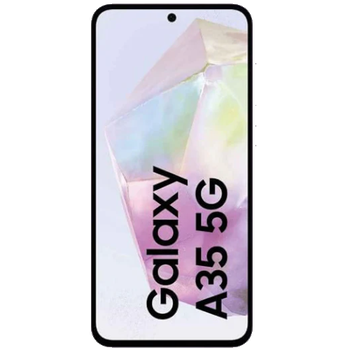
Guides disponibles pour la synchronisation vers le cloud sécurisé
Depuis l'appareil
À partir de Samsung Galaxy A35 5G sm-a356bÀ partir de Samsung Galaxy A35 5G sm-a356b
Fonctions prises en charge
- synchronisation des contacts
- synchronisation des sms
- sauvegarde du journal d'appels
- synchronisation des photos
- synchronisation des vidéos
- synchronisation automatique


Transférez vos contacts, photos, vidéos, SMS et journaux d'appels de Samsung Galaxy A35 5G sm-a356b vers un espace de stockage en ligne et inversement pour les garder en sécurité et à jour.
Samsung Galaxy A35 5G sm-a356b est pris en charge avec PhoneCopy.
Veuillez noter que les paramètres suivants peuvent varier légèrement en fonction de la version du micrologiciel.
Modèles confirmés
Versions confirmées
- Android 16
- Android 15
- Android 14
Nouvelles
- 03/11/2025
- La mise à jour de Samsung Galaxy A35 5G sm-a356b vers Android 16 est disponible, avec une sauvegarde des contacts, SMS, photos et vidéos entièrement fonctionnelle vers PhoneCopy Cloud.
- 13/06/2025
- We tested the functionality of the PhoneCopy app on Samsung Galaxy A35 5G sm-a356b device after the Android 15 update.
- 08/02/2025
- Même dans le pays Danemark, nous avons un utilisateur avec un téléphone Samsung Galaxy A35 5G sm-a356b. Il sauvegarde ses contacts.
- 04/02/2025
- Nous prenons désormais en charge Samsung Galaxy A35 5G sm-a356b avec le système d'exploitation Android et les Huawei Mobile Services pour la sauvegarde des photos, vidéos, SMS et contacts.
- 09/01/2025
- Quelqu'un vient d'utiliser PhoneCopy pour sauvegarder Samsung Galaxy A35 5G sm-a356b dans le pays Suisse. Ses contacts ont été sauvegardés.
- 29/12/2024
- Quelqu'un vient d'utiliser PhoneCopy pour sauvegarder Samsung Galaxy A35 5G sm-a356b dans le pays France. Ses contacts, SMS et journaux d'appels ont été sauvegardés.
- 13/10/2024
- Le premier utilisateur dans le pays Allemagne vient de synchroniser ses contacts sur son téléphone Samsung Galaxy A35 5G sm-a356b.
- 23/08/2024
- Ce modèle de téléphone vient d'être synchronisé par un utilisateur de PhoneCopy dans le pays Royaume-Uni. Il a transféré contacts, SMS et journaux d'appels.
- 09/06/2024
- Personal data backup from Samsung Galaxy A35 5G sm-a356b with Android 14 is now officially supported with our PhoneCopy mobile app.
versions Android fonctionnant sur Samsung Galaxy A35 5G sm-a356b
L'application PhoneCopy pour Android prend en charge diverses versions de Android. Nos utilisateurs ont synchronisé leur Samsung Galaxy A35 5G sm-a356b avec Android 14 (67.70%), Android 16 (30.12%), Android 15 (2.17%).
Le diagramme circulaire suivant illustre la part entre les versions Android sur Samsung Galaxy A35 5G sm-a356b lors de la synchronisation avec PhoneCopy.
Samsung Galaxy A35 5G sm-a356b utilisateurs dans le monde
D'après nos statistiques, les utilisateurs de PhoneCopy utilisent Samsung Galaxy A35 5G sm-a356b pour la sauvegarde des données dans les pays Allemagne (Deutschland) - 45.77%, Tchéquie (Czech Republic, Česká republika) - 21.94%, Suisse (Schweiz, Suisse, Svizzera, Svizra) - 19.44%, Grèce (Hellas, Ελλάς, Ellada, Ελλάδα) - 10.34%, Bulgarie (Bulgariya, Bălgarija, България) - 1.25%, Royaume-Uni (Y Deyrnas Unedig, Unitit Kinrick, Rìoghachd Aonaichte, Ríocht Aontaithe, An Rywvaneth Unys) - 0.63%, France - 0.31%, Danemark (Danmark) - 0.31%.
La carte de chaleur suivante illustre le partage entre les utilisateurs du monde entier synchronisant leur Samsung Galaxy A35 5G sm-a356b à l'aide de PhoneCopy.
Guide textuel - Comment sauvegarder
À partir de Samsung Galaxy A35 5G sm-a356b
- Download our PhoneCopy for Huawei application to your mobile device.
- After launching the application, create a new account from the application. If you have already created an account on web pages www.phonecopy.com, log in to this existing account in the application.
- After succesful login press "Synchronize" for complete synchronization, or press "Advanced & Account", select "One-way sync" and after choose "This device >> server" for one-way sync.
More detailed information and instructions include screenshots: how to backup and synchronize contacts from Huawei
For more information about our app, visit our PhoneCopy for Huawei page.
Let us just remind you, that for now PhoneCopy for Android transfers to server contacts, photos, videos, Call Logs and SMS.
En cas de problèmes dans la synchronisation, veuillez nous contacter.
Vers Samsung Galaxy A35 5G sm-a356b
- Download our PhoneCopy for Huawei application to your mobile device.
- After launching the application, create a new account from the application. If you have already created an account on web pages www.phonecopy.com, log in to this existing account in the application.
- After succesful login press "Synchronize" for complete synchronization, or press "Advanced & Account", select "One-way sync" and after choose "Server >> this device" for one-way sync.
More detailed information and instructions include screenshots: how transfer contacts to Huawei
For more information about our app, visit our PhoneCopy for Huawei page.
Let us just remind you, that for now PhoneCopy for Android transfers to server contacts, photos, videos, Call Logs and SMS.
En cas de problèmes dans la synchronisation, veuillez nous contacter.
Commentaires des utilisateurs
Pour laisser un commentaire identifiez-vous.
-
-
Hi, did you download PhoneCopy application from Google Play or Huawei AppGallery?
-
Hi, on Windowsphone it was from Google Play, on new P40 plus, I honestly don't remember, but THINK it was from H AppGalley. I even paid for a month's premium upgrade. Having a look around 'tinternet' I've seen one version of PhoneCopy with the red/black background and another with a pale blue background. Both mine are red/black. Should I delete both phones and start again? Can't actually find the 'pale-blue-one' in a store? Is the blue one the newer version? Regards, Trevor L
-
Hi, Windows mobile (Lumia) has older design because we keep it working until Microsoft will keep live their store. That step don't need to be repeated. Huawei P40 application is the same like on the following guide https://www.phonecopy.com/en/pages/how_to_synchronize_contacts_to_android . We found your phone contacting our servers but still not synchronized. Our technical team will contact you on Monday to check what should be wrong.
-
Hello again, and thank you for your prompt response. I will be patient and wait 'till Monday then. Trevor L
-
Hello,
your Huawei does not support Google Play Services.
In this case, please, install PhoneCopy for Huawei:
https://appgallery7.huawei.com/#/app/C102701109-
-
My Huawei DOES support Google Play Services...., what it will NOT do is respond to the link that you've sent me. I think I may have to write-off the £1:92 I've paid to PhoneCopy. I still have the same problem! I've successfully uploaded my contacts from my Lumia 640 LTE to your 'Cloud'. But cannot download anything to my Huawei P40 pro. In the app, the P40 Think I want to UPload, but says there is nothing to upload. Is there anything else you can suggest please?
-
Hello again, sorry, but official Huawei documentation says that Huawei P40 does not contain Google Services and running on Android 10.
In our logs, generated by communication with your phone is named as P40 pro, but running on Android 4.4.2 KITKAT with older type of processor, what is very unusual.
We will send you more informaction to your private mail.-
Thank you for this information. I've had this handset for less than a week. It came unlocked, apparently 'sealed', boxed, with the usual very small instruction leaflet, from a usually reliable source that I've used for a long time. I do now wonder though, if it is a genuine Huawei product? I have not owned any Huawei products before, so cannot compare. It is advertised variously at between £695:00 and £875:00 approx. I am very careful about buying things on the internet, but there's always a first time to be conned. I'm SURE that your information is correct. I'll await your further contact with interest. Thanks again, Trevor L
-
-
-
-
-
Answered via private mail.
-
Hello again PhoneCopy team,
Just wanted to say a really big thank you. After a complete week of communication to/fro between us, I have finally synchronised my Lumia 640 LTE with my new (highly suspect P40 pro) You even built a version of your app specifically for my use.
I now have all 87 contacts and hundreds of diary entries on the Android P40 pro. Sorted all the contacts; now just looking around for a decent calendar📅diary for other content.
Upgraded to premium at the start of this 'adventure' and have just paid for a bit😊more storage, (not that I'll need it) by way of a Thank You. Kind Regards, Trevor L
-
Thanks
-
-
-
-
-
-
-

I have uploaded my contacts+diary etc, from my Lumia 640 LTE (windows phone) successfully, but I don't seem to be able to download (from your cloud) to my new Huawei P40 Pro..., (previously known as the P40 els-nx9) which your systems say is supported. Spent hours so far..., even losing weight now! Help PLEASE...., REGARDS, Trev. trevor.lidbury, 29/08/2020