Sauvegarder contacts, photos, vidéos, SMS et journaux d'appels depuis Samsung Galaxy Tab A9 WiFi (SM-X110)
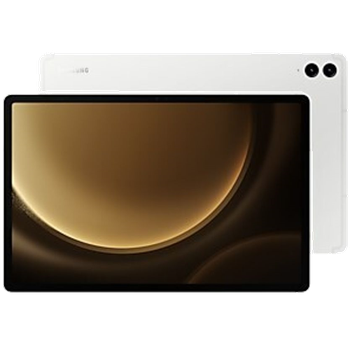
Guides disponibles pour la synchronisation vers le cloud sécurisé
Depuis l'appareil
À partir de Samsung Galaxy Tab A9 WiFi (SM-X110)À partir de Samsung Galaxy Tab A9 WiFi (SM-X110)
Fonctions prises en charge
- synchronisation des contacts
- synchronisation des sms
- sauvegarde du journal d'appels
- synchronisation des photos
- synchronisation des vidéos
- synchronisation automatique


Transférez vos contacts, photos, vidéos, SMS et journaux d'appels de Samsung Galaxy Tab A9 WiFi (SM-X110) vers un espace de stockage en ligne et inversement pour les garder en sécurité et à jour.
Samsung Galaxy Tab A9 WiFi (SM-X110) est pris en charge avec PhoneCopy.
Veuillez noter que les paramètres suivants peuvent varier légèrement en fonction de la version du micrologiciel.
Modèles confirmés
Versions confirmées
- Android 16
- Android 15
- Android 14
Nouvelles
- 12/12/2025
- L'application PhoneCopy fonctionne parfaitement après la mise à jour de Samsung Galaxy Tab A9 WiFi (SM-X110) vers Android 16.
- 24/07/2025
- Même dans le pays Ghana, nous avons un utilisateur avec un téléphone Samsung Galaxy Tab A9 WiFi (SM-X110). Il sauvegarde ses contacts, SMS et journaux d'appels.
- 21/06/2025
- Update Samsung Galaxy Tab A9 WiFi (SM-X110) to Android 15 is available including the fully working contact, SMS, photo, and video backup to PhoneCopy Cloud.
- 19/04/2025
- Quelqu'un vient d'utiliser PhoneCopy pour sauvegarder Samsung Galaxy Tab A9 WiFi (SM-X110) dans le pays Australie. Ses contacts ont été sauvegardés.
- 23/02/2025
- We freshly support Samsung Galaxy Tab A9 WiFi (SM-X110) with Android 14 OS for photo, video, SMS, call log and contact backup.
- 18/02/2025
- Quelqu'un a utilisé PhoneCopy pour sauvegarder ce modèle de téléphone dans le pays Népal. Ses contacts ont été transférés.
versions Android fonctionnant sur Samsung Galaxy Tab A9 WiFi (SM-X110)
Lors de la synchronisation, les utilisateurs de PhoneCopy disposaient des versions Android suivantes sur leur Samsung Galaxy Tab A9 WiFi (SM-X110): Android 15 (47.27%), Android 14 (46.36%), Android 16 (6.36%).
Le tableau suivant montre les synchronisations des contacts avec Samsung Galaxy Tab A9 WiFi (SM-X110) évoluant sous différentes versions de Android.
Samsung Galaxy Tab A9 WiFi (SM-X110) utilisateurs dans le monde
Samsung Galaxy Tab A9 WiFi (SM-X110) est souvent utilisé par les utilisateurs de PhoneCopy dans des pays comme Népal (Nepāl, नेपाल) - 67.86%, Australie - 30.95%, Ghana (Gaana, Gana) - 1.19%.
La carte de chaleur suivante montre les synchronisations des contacts avec Samsung Galaxy Tab A9 WiFi (SM-X110) à l'aide de PhoneCopy dans le monde entier.
Guide textuel - Comment sauvegarder
Avec Samsung Galaxy Tab A9 WiFi (SM-X110)
- Téléchargez notre application PhoneCopy pour Android sur votre appareil mobile.
- Après avoir lancé l'application, créez un nouveau compte depuis celle-ci. Si vous avez déjà créé un compte sur le site web www.phonecopy.com, connectez-vous à ce compte existant dans l'application.
- Après une connexion réussie, suivez l'assistant de configuration de l'application, puis sélectionnez Synchroniser (pour un compte disposant déjà d'une sauvegarde) / Sauvegarder (pour un compte vide), ou appuyez sur le bouton Plus tard puis sélectionnez l'option correspondante dans le menu latéral Sauvegarder les contacts / Restaurer les contacts pour une synchronisation à sens unique.
Pour plus d'informations sur notre application, consultez notre page PhoneCopy pour Android.
En cas de problèmes dans la synchronisation, veuillez nous contacter.
Commentaires des utilisateurs
Pour laisser un commentaire identifiez-vous.
-
-
Hello, PhoneCopy backs up all SMS on the phone, there is no need to set anything else. Our records show a backup of 1818 SMS firstly and then adding of two more SMS (one by one) during consequent backups. Are you sure that the other messages that were not backed up are also SMS?
-

I don't see where to add more. Can anyone help me figure this out?
adolph1960, 01/08/2022